Creating a volume in VESSL Storage
Volume is the basic storage unit in VESSL. There are two ways to create a volume, each optimized for different machine learning workflow scenarios.In YAML, a volume in VESSL Storage is specified as
volume://vessl-storage/{volume-name}. 1. User-generated volume
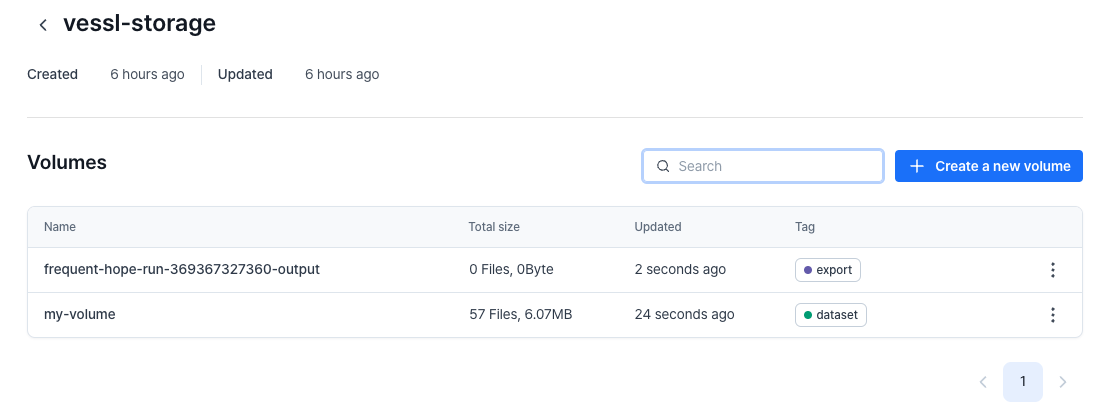
Users can create volumes to upload datasets or models that will be used in workloads.1
Create a new volume
Navigate to Storage > VESSL Storage and click the 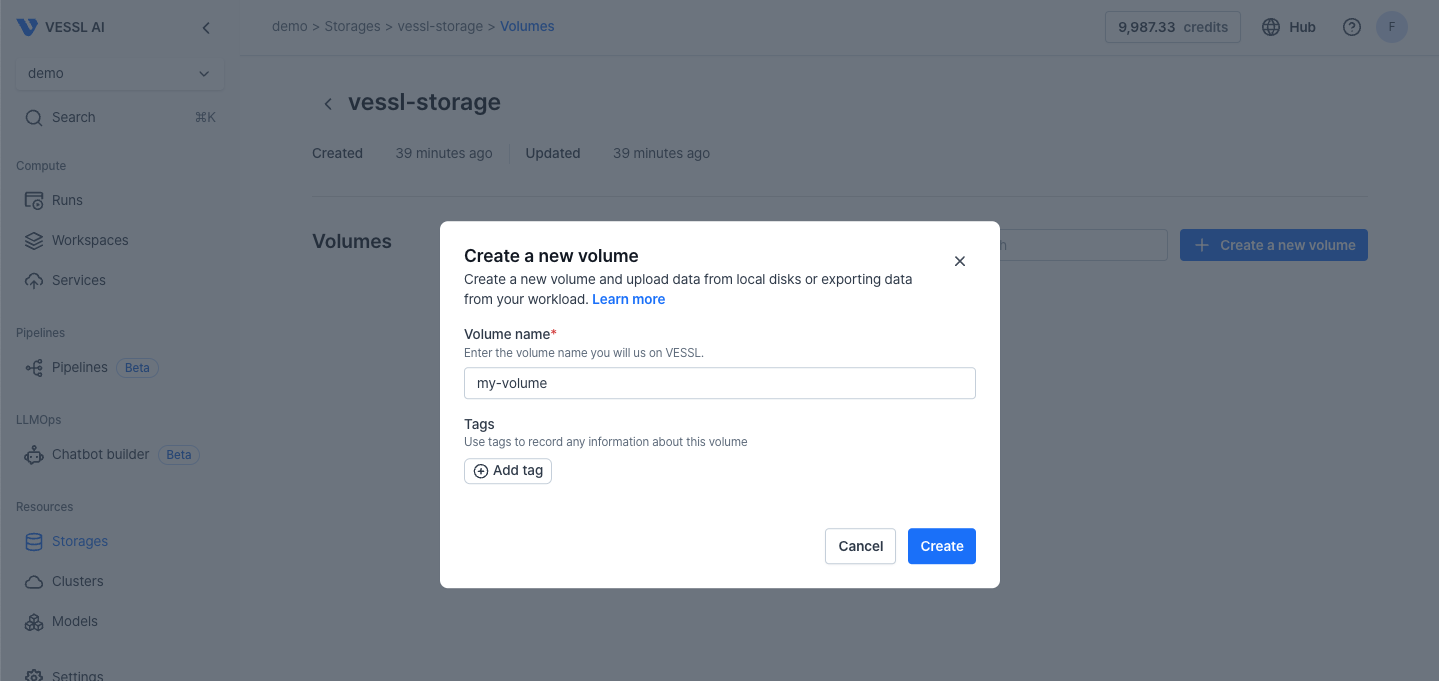
+ Create a new volume button. Specify the volume name and click the Create button.2
Upload files to the volume
Click the 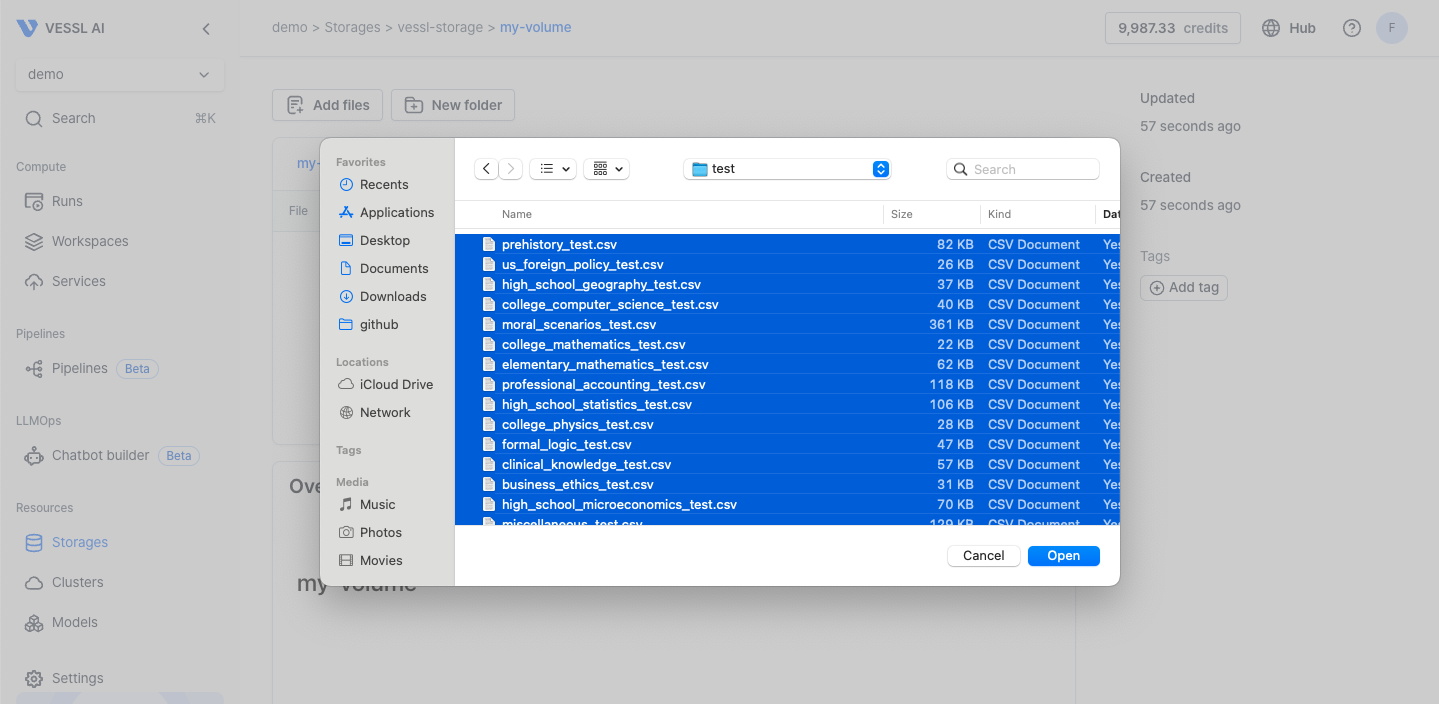
Add files button in the volume and select the files in your local machine to upload.3
Import the volume to a run
When creating a run in the web console, create a new directory (e.g., 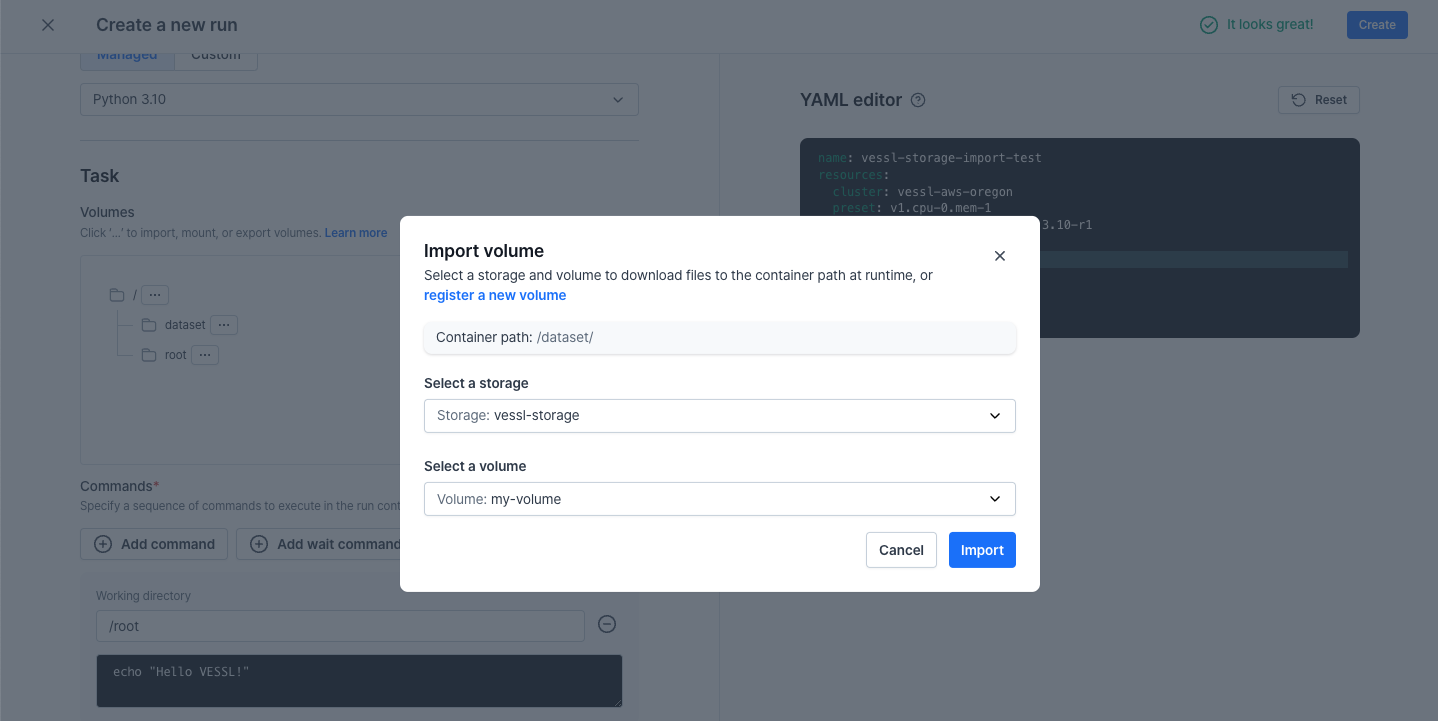
/dataset), and import the volume of VESSL Storage as shown below.2. Workload-generated volume
Volumes can also be created by a workload when exporting logs, checkpoints, and metrics to VESSL Storage. The volume name is automatically generated in this case.1
Export a workload volume to storage
To export your workload’s data to VESSL Storage, create a new directory (e.g., 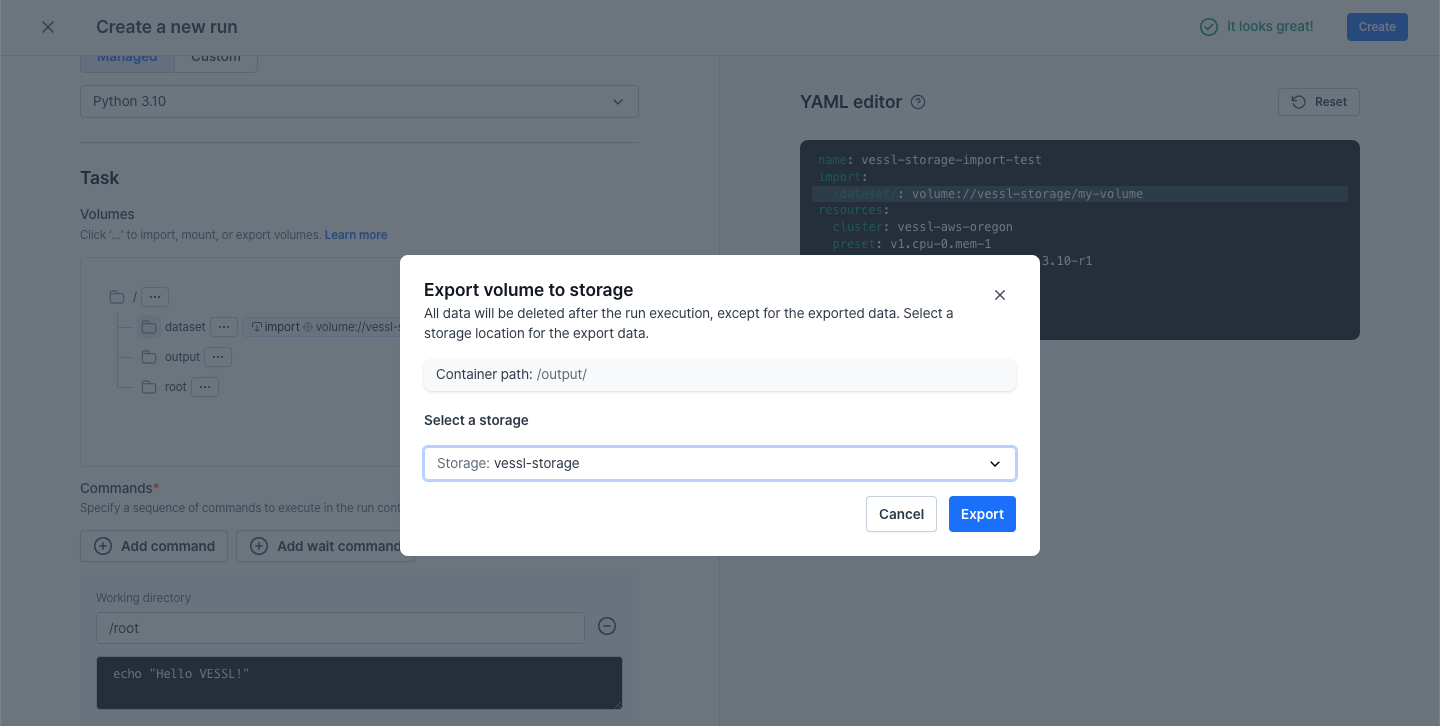
/output), and export to VESSL Storage as follows.2
Locate the exported volume
Navigate to Run > Files to find the file tree of run execution.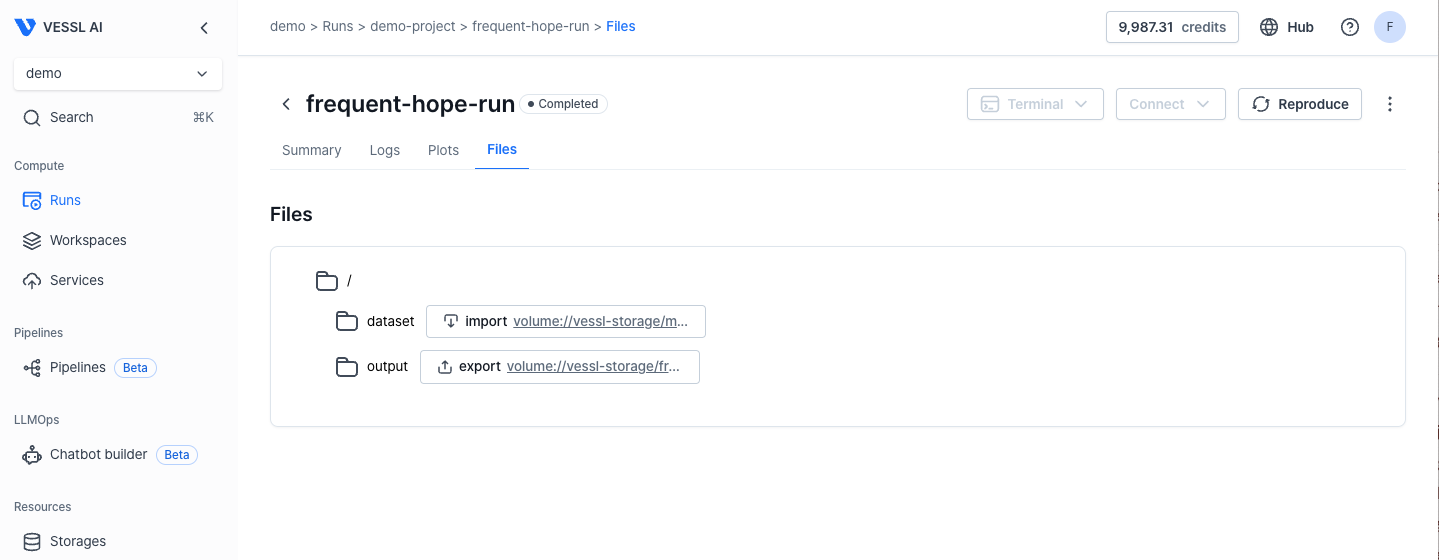
Tagging & Search
Whether your volume is user-generated or workload-generated, tagging allows for quick search and retrieval of data.