By using the Serverless Mode of VESSL Service, you can quickly launch a fully operational inference server within minutes using a simple configuration file and instances from VESSL-managed Cloud. Furthermore, these instances are billed on an on-demand basis.In this example, we will use the serverless mode of VESSL Serve to quickly launch a server using the Phi-4-mini-reasoning with vLLM. This example can be easily adapted to deploy your model for inference.
Serverless Mode is only available in VESSL-managed cloud clusters.
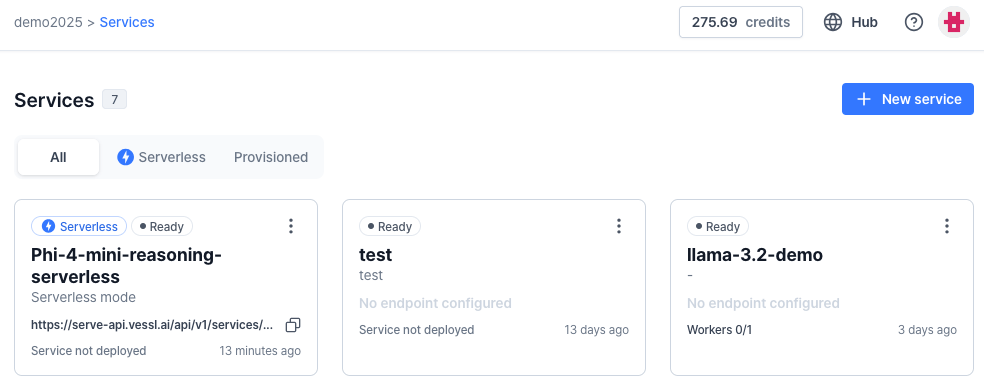
Select your organization and click the “Services” tab. Click the “New Service” button on the right side of the “Services” page. This will allow you to set your first service information:
Name: Set your service name.
Description: You can add any description for your services.
Cluster: The cluster in which your service is physically located. Select (oci) vessl-oci-sanjose.
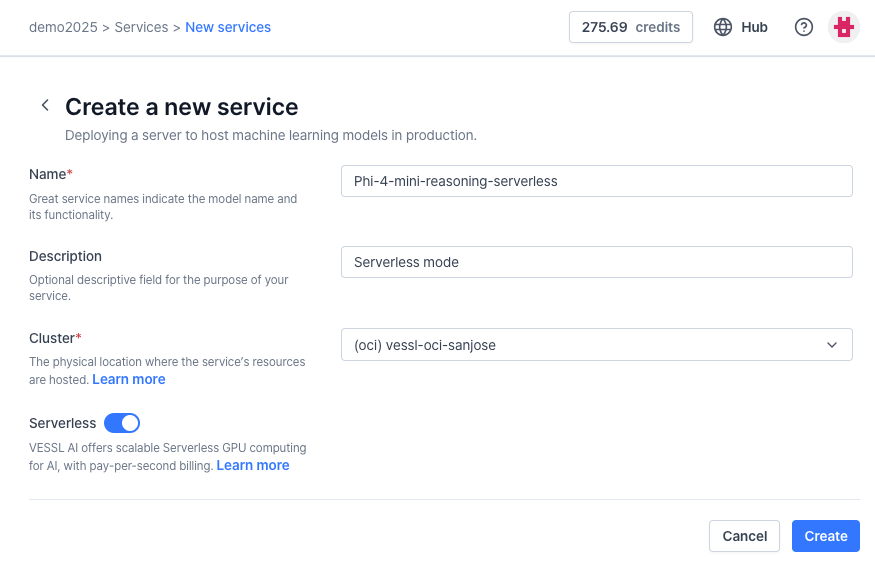
Then, toggle “Serverless” to enable Serverless mode, and click “Create”. Your new service is created, automatically guiding you to make your first “Revision”, for setting your container environment.
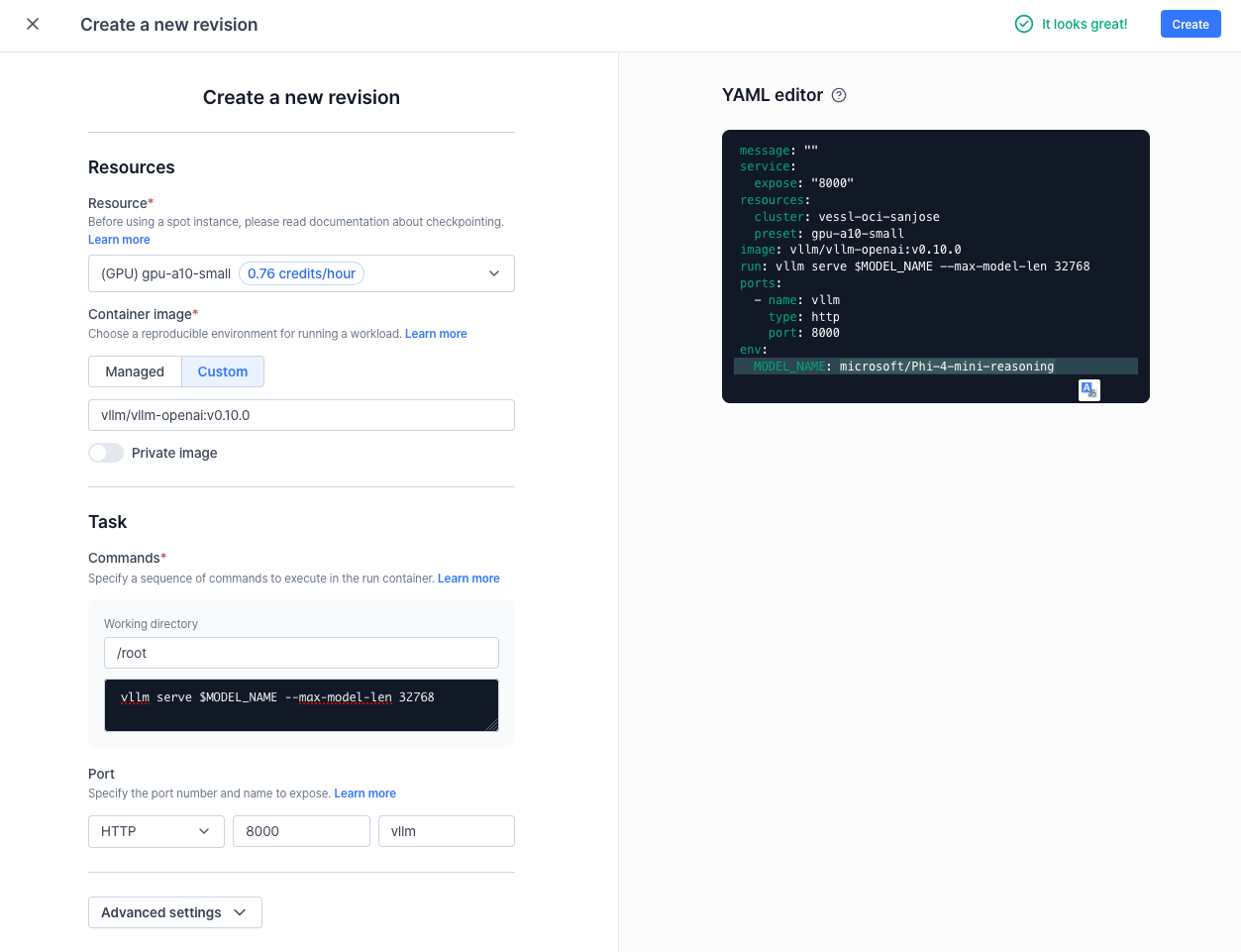
Resources: Select GPU resource, Select (GPU) gpu-a10-small. This means that we will be using one NVIDIA A10 GPU and a 24GB RAM instance.
Container image: We will use a pre-created vLLM docker image. Click on the “Custom” button and type vllm/vllm-openai:v0.10.0.
Commands: This is a bash command you can run in the container. Use the following command:
vllm serve $MODEL_NAME --max-model-len 32768
Port: This is an open HTTP port for the container. Set the port to HTTP, 8000 and name it vllm.
Advanced Options:
Variable: You can set environment variables and secret values which can be used for the container. Click “Add variables or secrets”, and add the following name/value.
Name: MODEL_ID
Value: microsoft/Phi-4-mini-reasoning
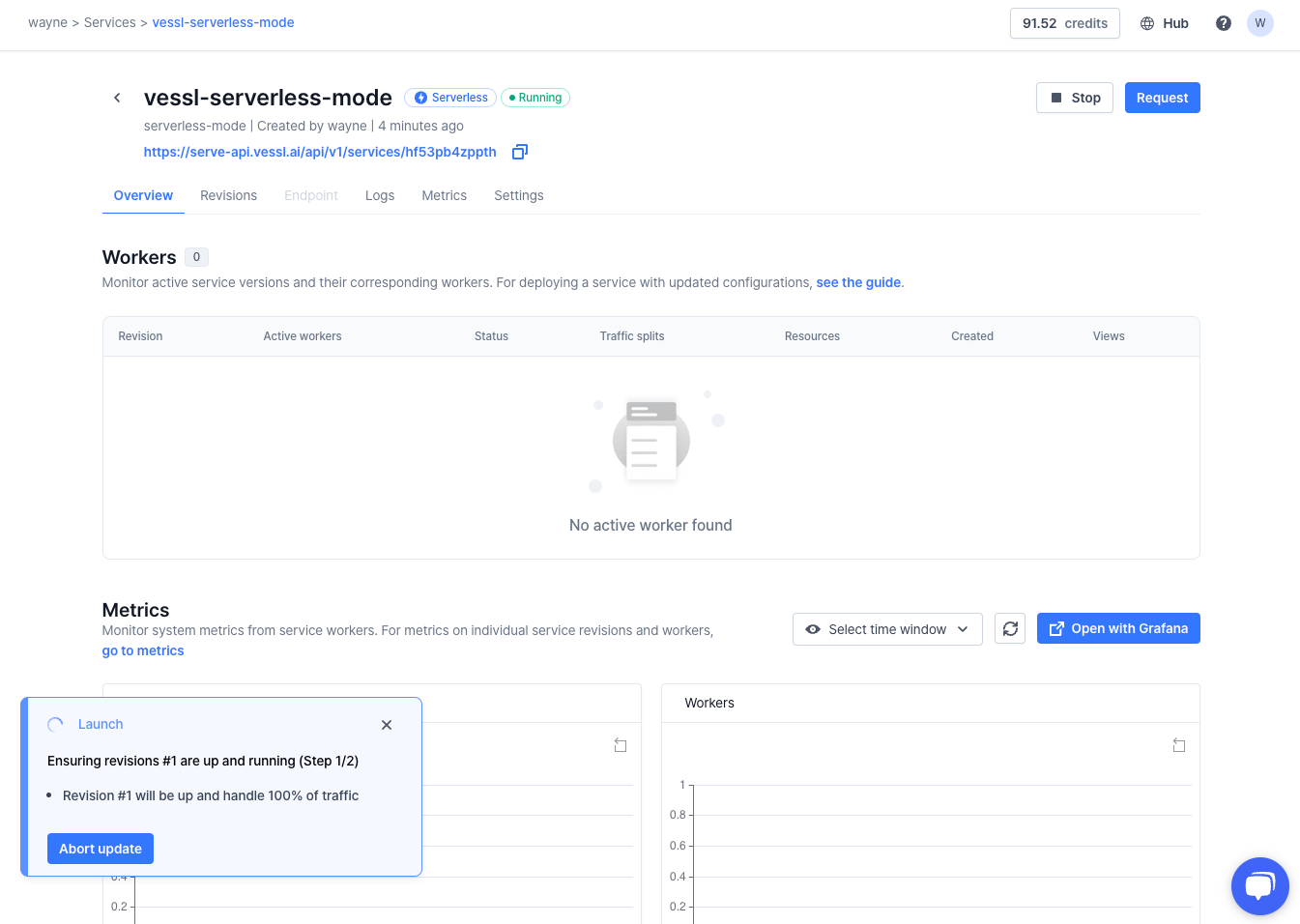
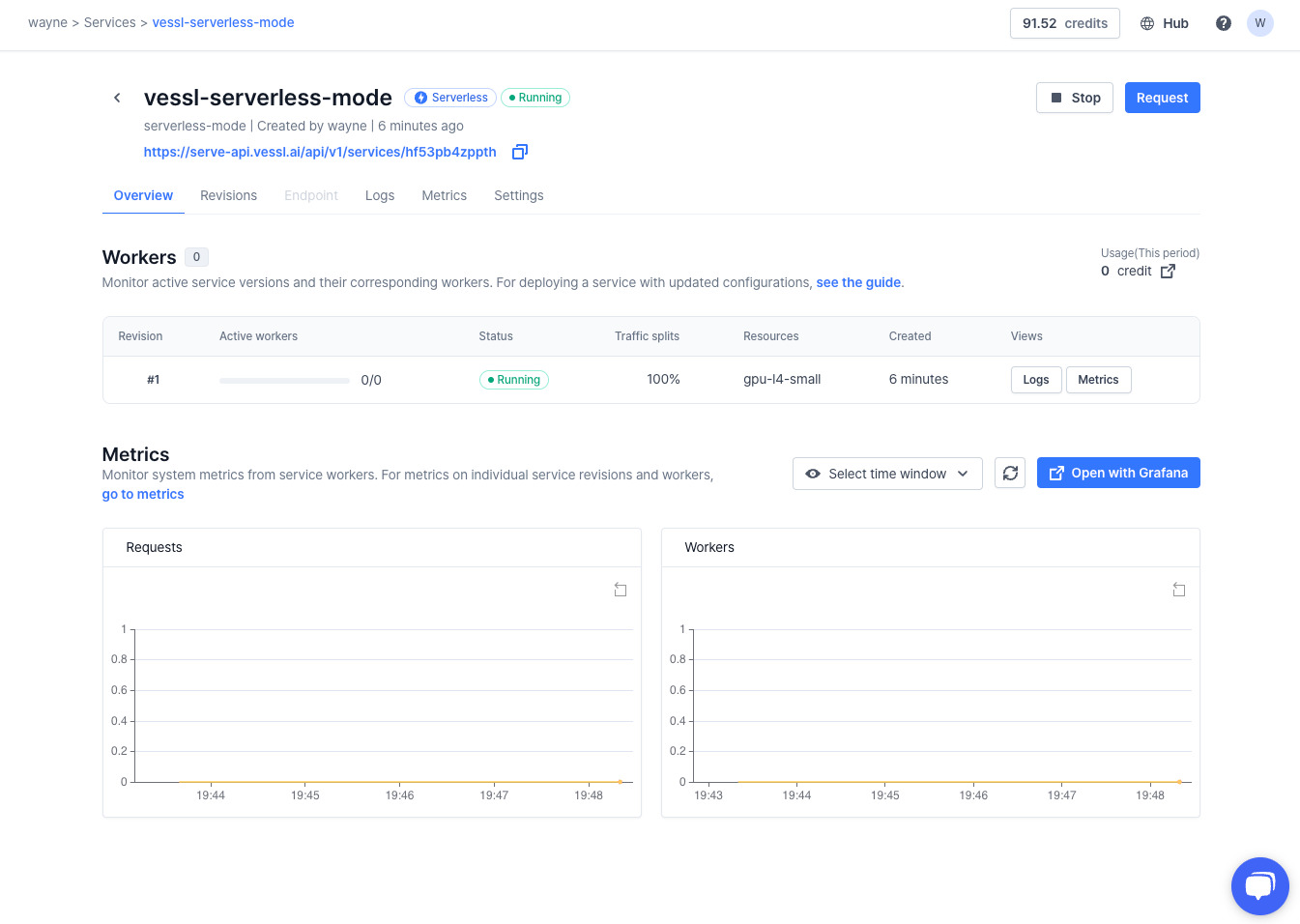
Click the “Create” button in the right corner. Then, our first VESSL Serve is created!Once the revision update is complete, your inference server will be ready to go.
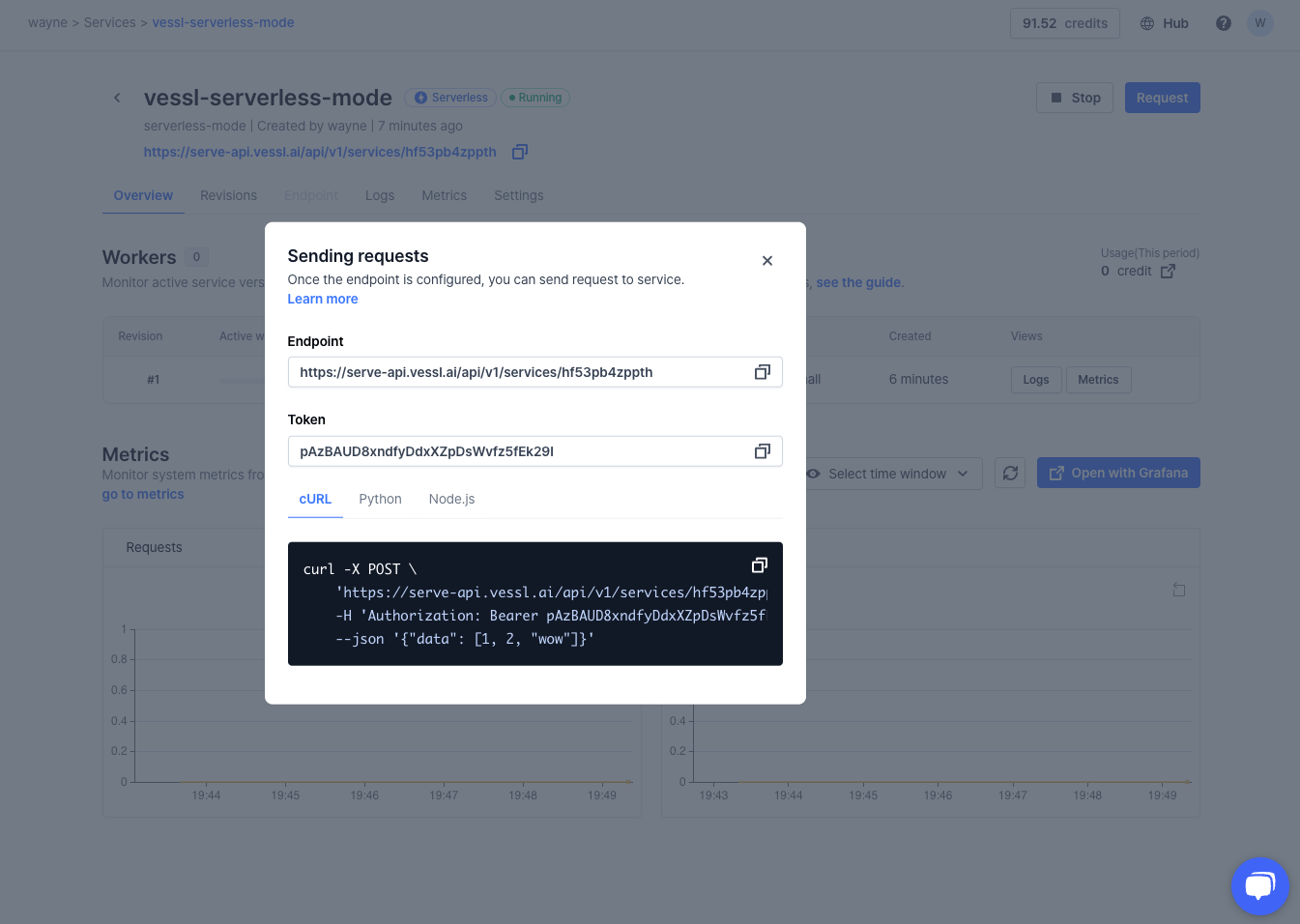
You can find your Service overview in the “Overview” Tab.Click on the upper right “Request” Button. You can find information on how to send an inference request to your service.You can find HTTP request information such as inference endpoint, authorization token,
and sample request to inference server. For more information, please refer to
Serverless API documentation.Below is an example of Python code for requesting your inference results.
When the service is in a cold state (i.e. there are no running replicas due to service
idleness) and a new request is made, a new replica will be started immediately.In such case, the first few requests may get aborted due to timeouts,
until the replica becomes up and running. Please consult your HTTP client’s timeout configuration.
Sometimes you may want to have requests processed asynchronously, for example:
to process a large amount of data in a batch, where it is infeasible or inefficient
to make requests one-by-one;
to ensure all requests are processed eventually, and not be interrupted due to
network timeouts;
where the caller has the capability to periodically poll for results, and immediate
HTTP response is not a requirement.
To make asynchronous requests, you will use different pair of APIs: one for request
creation and another for result
fetch.First, create an asynchronous request:
base_url = "{your-service-endpoint}"token = "{your-token}"import requestsr = requests.post( f"{base_url}/async", headers={"Authorization": f"Bearer {token}"}, json={ "method": "POST", "path": "/v1/chat/completions", "data": { # payload to send to actual service "messages": [ {"role": "user", "content": "What is Deep Learning?"} ], "model": "microsoft/Phi-4-mini-reasoning" } })assert r.status_code == 201request_id = r.json()["id"]print("Successfully created an async request.")print(f"ID: {request_id}")
Then, you can periodically poll for request.
while True: r = requests.get( f"{base_url}/async/{request_id}/output", headers={"Authorization": f"Bearer {token}"} ) assert r.status_code == 200 resp = r.json() status = resp["status"] if status == "pending": print("Request is waiting in the queue.") elif status == "in_progress": print("Request is being processed.") elif status == "completed": print(f"Request complete! (status code: {resp['status_code']})") print() print("Output (JSON):") print(resp["output"]) print() print("Output (raw):") print(resp["raw_output"]) break elif status == "failed": print(f"Request failed! (status code: {resp['status_code']})") print() print("Reason:") print(resp["fail_reason"]) print() print("Response body:") print(resp["raw_output"]) break import time time.sleep(1)