> ## Documentation Index
> Fetch the complete documentation index at: https://docs.vessl.ai/llms.txt
> Use this file to discover all available pages before exploring further.
# Tips & Limitations
# pip
If you install a python package with pip but you cannot find it, then add the following path as [the official jupyterlab document](https://jupyterlab.readthedocs.io/en/stable/getting_started/installation.html#pip) stated.
```
export PATH="/home/name/.local/bin:$PATH"
```
# conda
If you want to use conda in your notebook, run the following code as the first executable cell.
```
!pip install -q git+https://github.com/vessl-ai/condacolab.git
import condacolab
condacolab.install()
```
# Disk persistency and node affinity problem
In VESSL, `/root` **is the only persistent directory**. Other directories reset eveytime you restart a workspace. If you need libraries or packages that should be installed outside `/root`, fill the `Init script` with the install commands. You can also build your own docker image on top of [VESSL managed docker images](https://quay.io/repository/vessl-ai/torch?tab=tags).
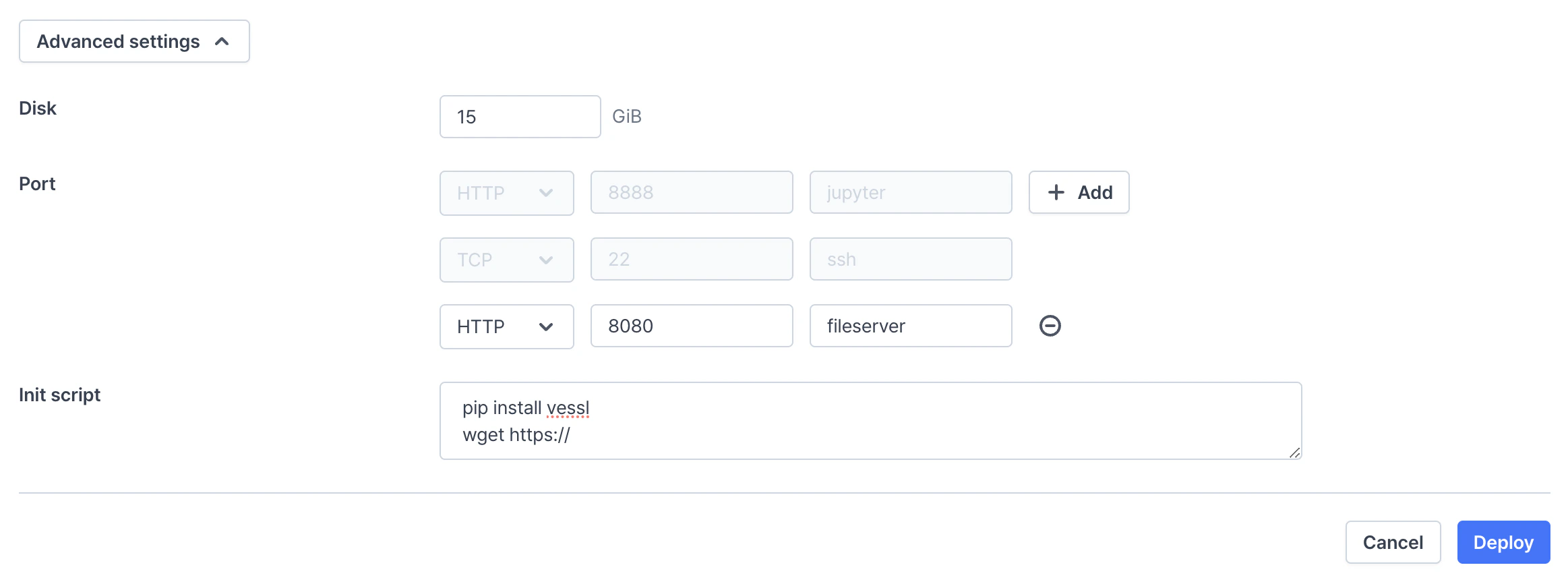 VESSL provides disk persistency in two ways:
* For cloud providers (managed cluster and custom cluster provided by AWS or GCP), VESSL uses storage provisioners like `aws-efs-csi-driver`. It automatically attaches Amazon Elastic Block Store (EBS) volumes to container when started, and stored persistently until the workspace is terminated.
* For on-premises cluster, VESSL use storage provisioners like `local-path-provisioner`. It stores data on the host machine assigned to when the workspace is created. (So it fixes to one machine due to storage persistency).
* VESSL does online backup/restore to resolve this issue. VESSL automatically backup and upload all contents in `/root` when the workspace is stopped. All contents will be downloaded and restored when the workspace is resumed.
* If `/root/` is larger than 15GB, VESSL does not online backup/restore, so it fixes to one machine.
* For enterprise plan, Organization admin can specify the detail rules of online backup, such as the backup location.
## Backup & restore manually
If `/root/` is larger than 15GB, VESSL CLI does not support backup and restore.
You can manually backup and restore `/root/` with CLI. This feature is useful in the following situations:
* Move the workspace to another cluster
* Clone the workspace
You can proceed the following order:
* Run [`vessl workspace backup`](../../api-reference/cli/vessl-workspace.md#savvihub-workspace-backup) from the source workspace
* Run [`vessl workspace restore`](../../api-reference/cli/vessl-workspace.md#savvihub-workspace-restore) from the destination workspace
* `/root/` folder should be empty in the destination workspace
# Docker
VESSL workspaces are docker containers running on Kubernetes. The Docker daemon inside a docker container is not supported unless specifically privileged. VESSL does not support privileged containers for security reasons.
VESSL provides disk persistency in two ways:
* For cloud providers (managed cluster and custom cluster provided by AWS or GCP), VESSL uses storage provisioners like `aws-efs-csi-driver`. It automatically attaches Amazon Elastic Block Store (EBS) volumes to container when started, and stored persistently until the workspace is terminated.
* For on-premises cluster, VESSL use storage provisioners like `local-path-provisioner`. It stores data on the host machine assigned to when the workspace is created. (So it fixes to one machine due to storage persistency).
* VESSL does online backup/restore to resolve this issue. VESSL automatically backup and upload all contents in `/root` when the workspace is stopped. All contents will be downloaded and restored when the workspace is resumed.
* If `/root/` is larger than 15GB, VESSL does not online backup/restore, so it fixes to one machine.
* For enterprise plan, Organization admin can specify the detail rules of online backup, such as the backup location.
## Backup & restore manually
If `/root/` is larger than 15GB, VESSL CLI does not support backup and restore.
You can manually backup and restore `/root/` with CLI. This feature is useful in the following situations:
* Move the workspace to another cluster
* Clone the workspace
You can proceed the following order:
* Run [`vessl workspace backup`](../../api-reference/cli/vessl-workspace.md#savvihub-workspace-backup) from the source workspace
* Run [`vessl workspace restore`](../../api-reference/cli/vessl-workspace.md#savvihub-workspace-restore) from the destination workspace
* `/root/` folder should be empty in the destination workspace
# Docker
VESSL workspaces are docker containers running on Kubernetes. The Docker daemon inside a docker container is not supported unless specifically privileged. VESSL does not support privileged containers for security reasons.