> ## Documentation Index
> Fetch the complete documentation index at: https://docs.vessl.ai/llms.txt
> Use this file to discover all available pages before exploring further.
# Project summary
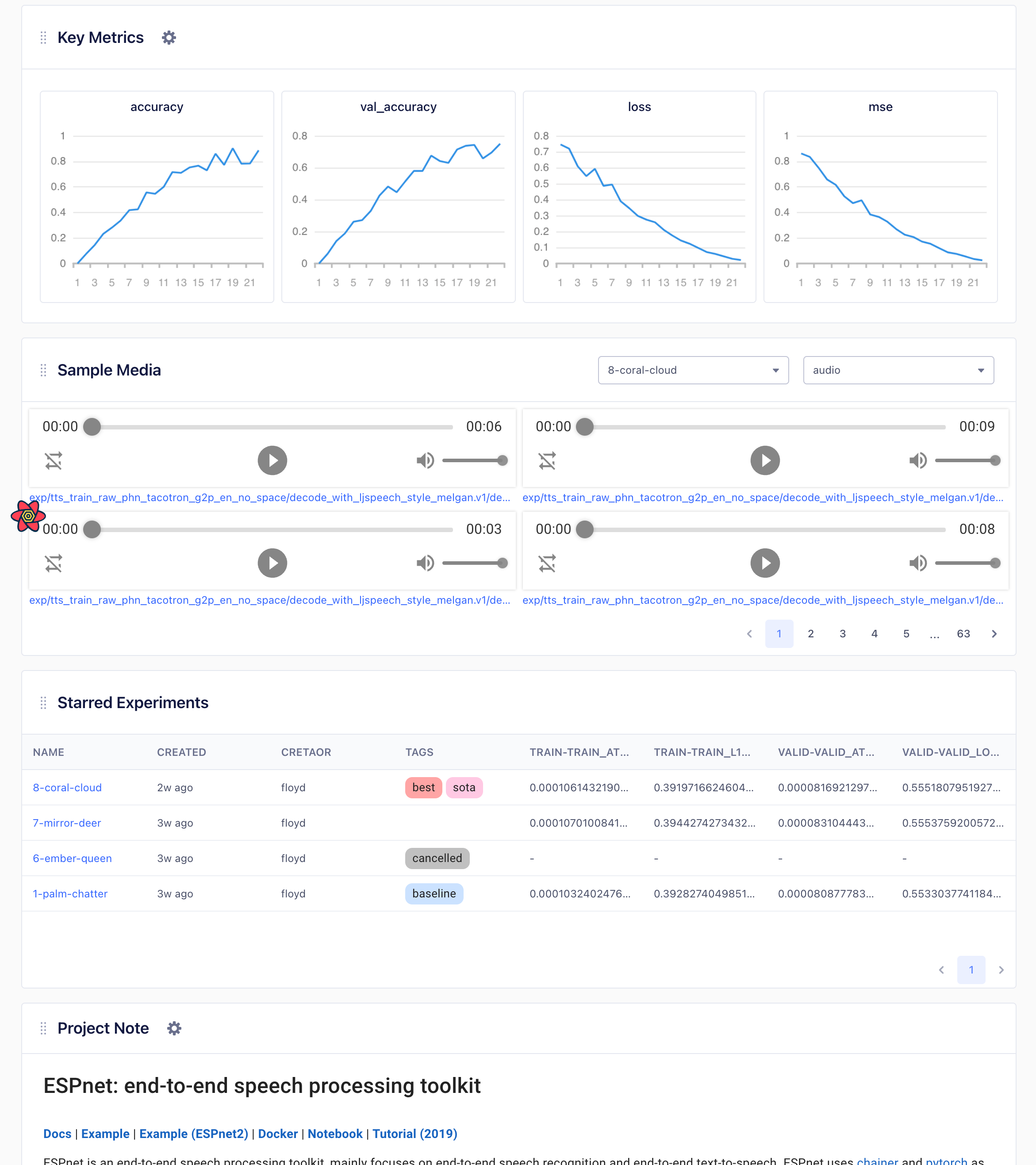
**Project Overview** provides a bird's-eye view of the progress of your machine learning projects. On the project overview dashboard, you can manage and track key information about your project:
* **Key Metrics**: Keep track of essential evaluation metrics of your experiments such as accuracy, loss, and MSE.
* **Sample Media**: Log images, audio, and other media from your experiment and explore your model's prediction results to compare your experiments visually.
* **Starred Experiments**: Star and keep track of meaningful experiments.
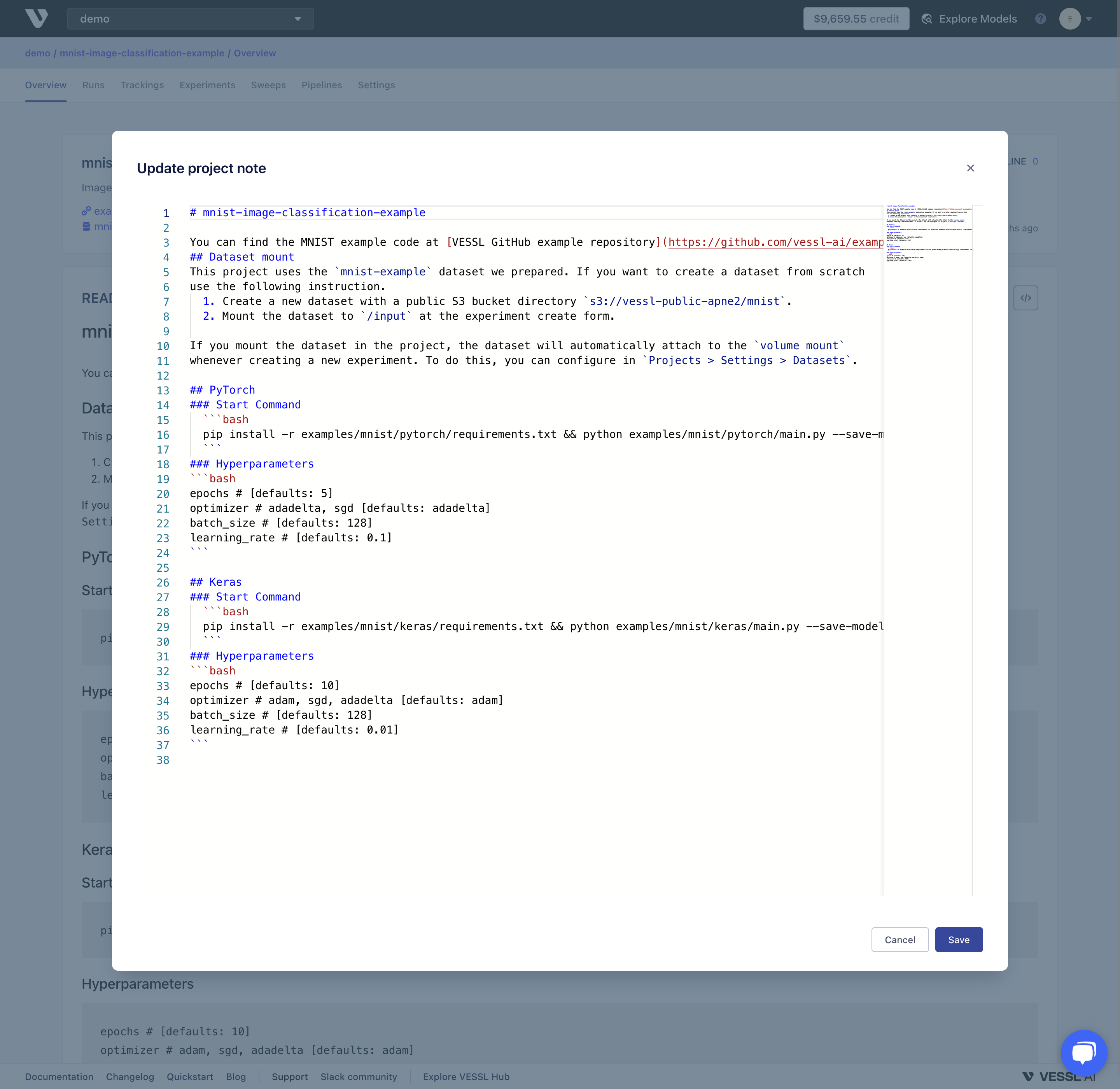
* **Project Notes**: Make a note of important information about your project and share it with your teammates – similar to README.md of Git codebase.
 ## Key Metrics
VESSL automatically marks metrics of best-performing experiments as key metrics. You can also manually bookmark key metrics and keep track of your model's meaningful evaluation metrics.
To add or remove Key Metrics
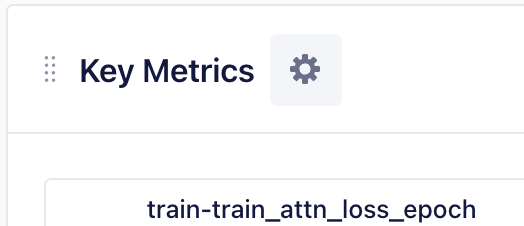
1. Click the settings icon on top of the Key Metrics card.
## Key Metrics
VESSL automatically marks metrics of best-performing experiments as key metrics. You can also manually bookmark key metrics and keep track of your model's meaningful evaluation metrics.
To add or remove Key Metrics
1. Click the settings icon on top of the Key Metrics card.
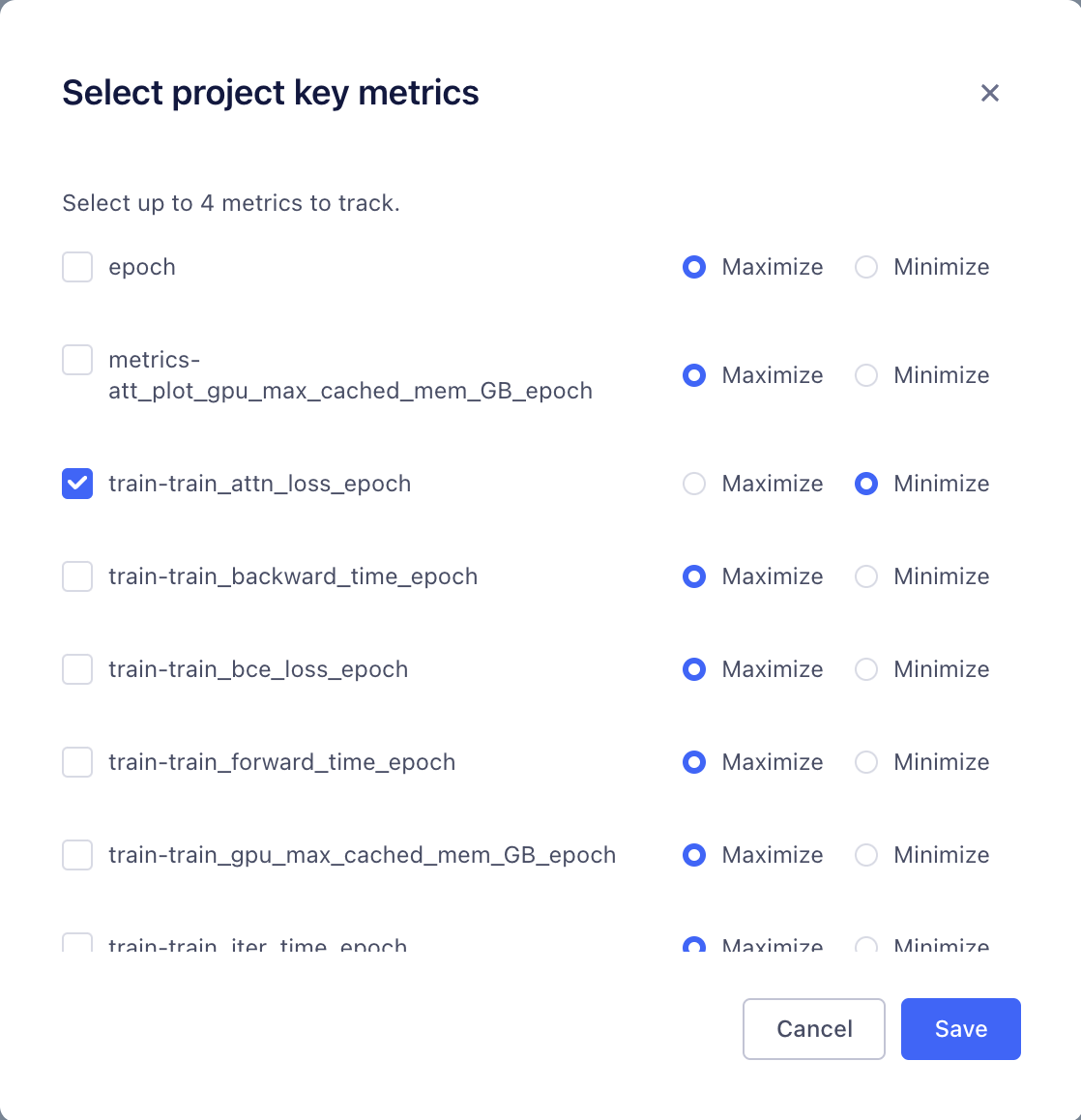
 2\. Select **up to 4 metrics** and choose whether your goal is to minimize or maximize the target value.
* If you select **Minimize**, an experiment with the smallest target value will be updated to the key metric charts.
* If you select **Maximize**, an experiment with the greatest target value will be updated to the key metric chart.
2\. Select **up to 4 metrics** and choose whether your goal is to minimize or maximize the target value.
* If you select **Minimize**, an experiment with the smallest target value will be updated to the key metric charts.
* If you select **Maximize**, an experiment with the greatest target value will be updated to the key metric chart.
 ## Sample Media
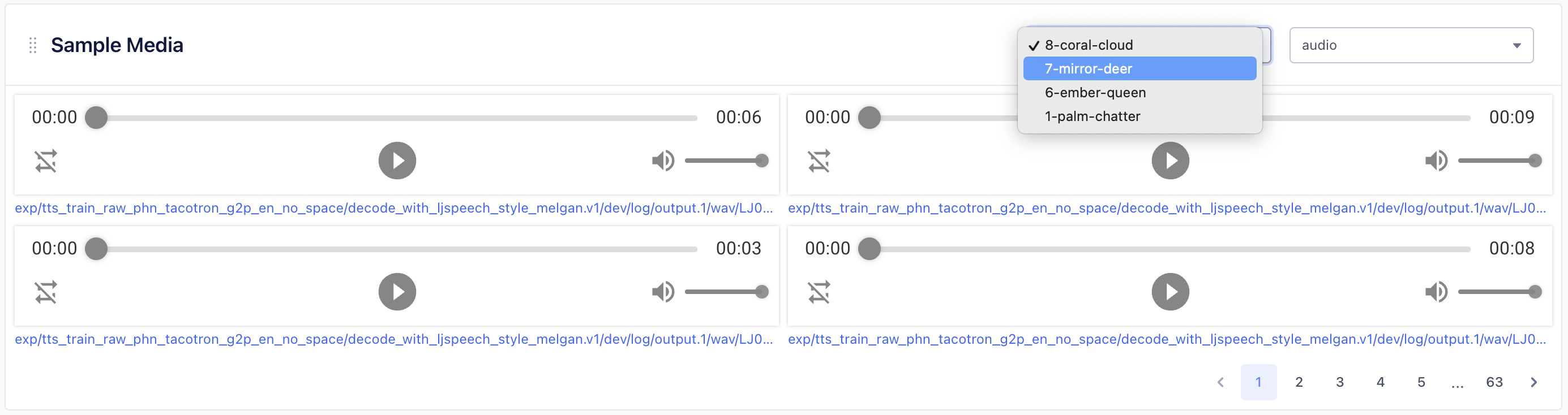
You can log images or audio clips generated from your experiment to explore your model's prediction results and make visual (or auditory) comparisons.
For more information about logging media during your experiment, refer to [`vessl.log`](../../api-reference/python-sdk/utils/vessl.log/) in our Python SDK.
To see the media file, select an experiment and specify the media type using the dropdown menu on the upper right corner of Sample Media card.
## Sample Media
You can log images or audio clips generated from your experiment to explore your model's prediction results and make visual (or auditory) comparisons.
For more information about logging media during your experiment, refer to [`vessl.log`](../../api-reference/python-sdk/utils/vessl.log/) in our Python SDK.
To see the media file, select an experiment and specify the media type using the dropdown menu on the upper right corner of Sample Media card.
 ## Starred Experiment
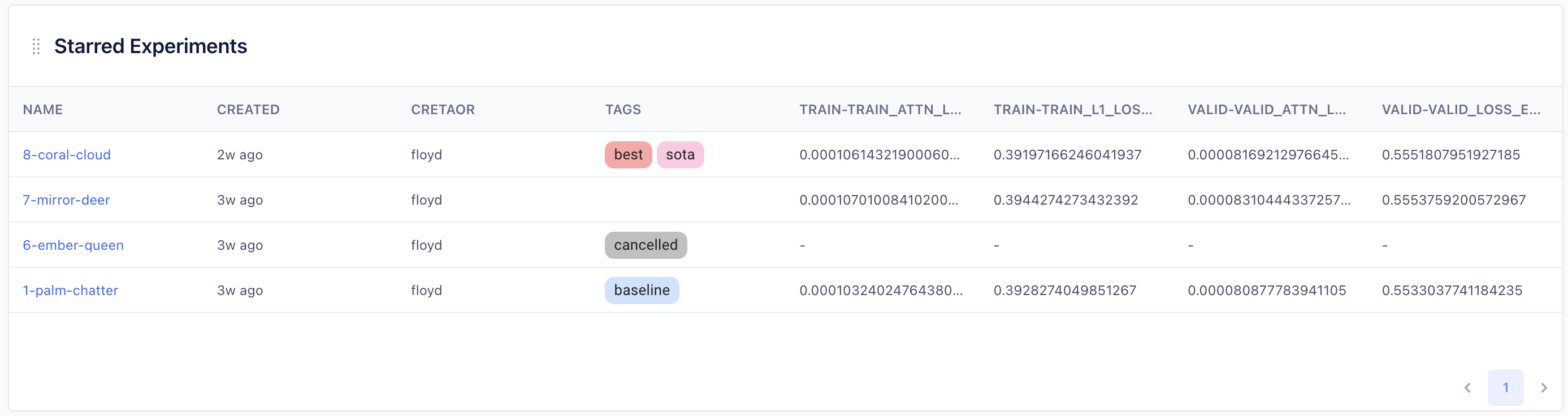
You can mark important experiments as **Starred Experiments** to keep track of meaningful achievements in the project. Starred Experiments displayed with the tags and key metrics.
## Starred Experiment
You can mark important experiments as **Starred Experiments** to keep track of meaningful achievements in the project. Starred Experiments displayed with the tags and key metrics.
 To star or unstar experiments
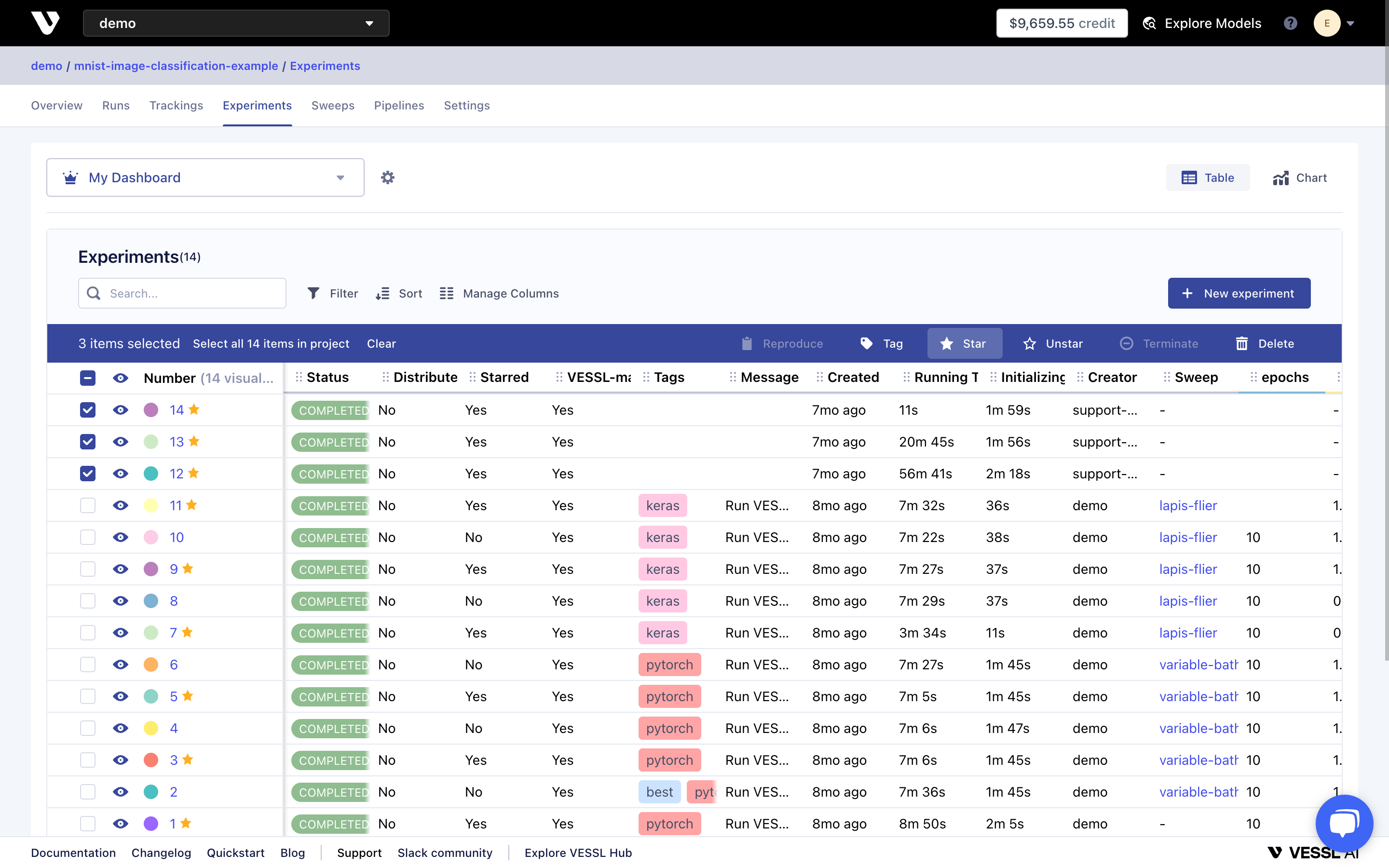
1. Go to the experiment tracking dashboard
2. Select experiments
3. Click 'Star' or 'Unstar' on the dropdown menu.
To star or unstar experiments
1. Go to the experiment tracking dashboard
2. Select experiments
3. Click 'Star' or 'Unstar' on the dropdown menu.
 You can also star or unstar experiments on the experiment summary page.
 ## Project Notes
**Project Notes** is a place for noting and sharing important information about the project together with your team. It works like README.md of your Git codebase.
## Project Notes
**Project Notes** is a place for noting and sharing important information about the project together with your team. It works like README.md of your Git codebase.
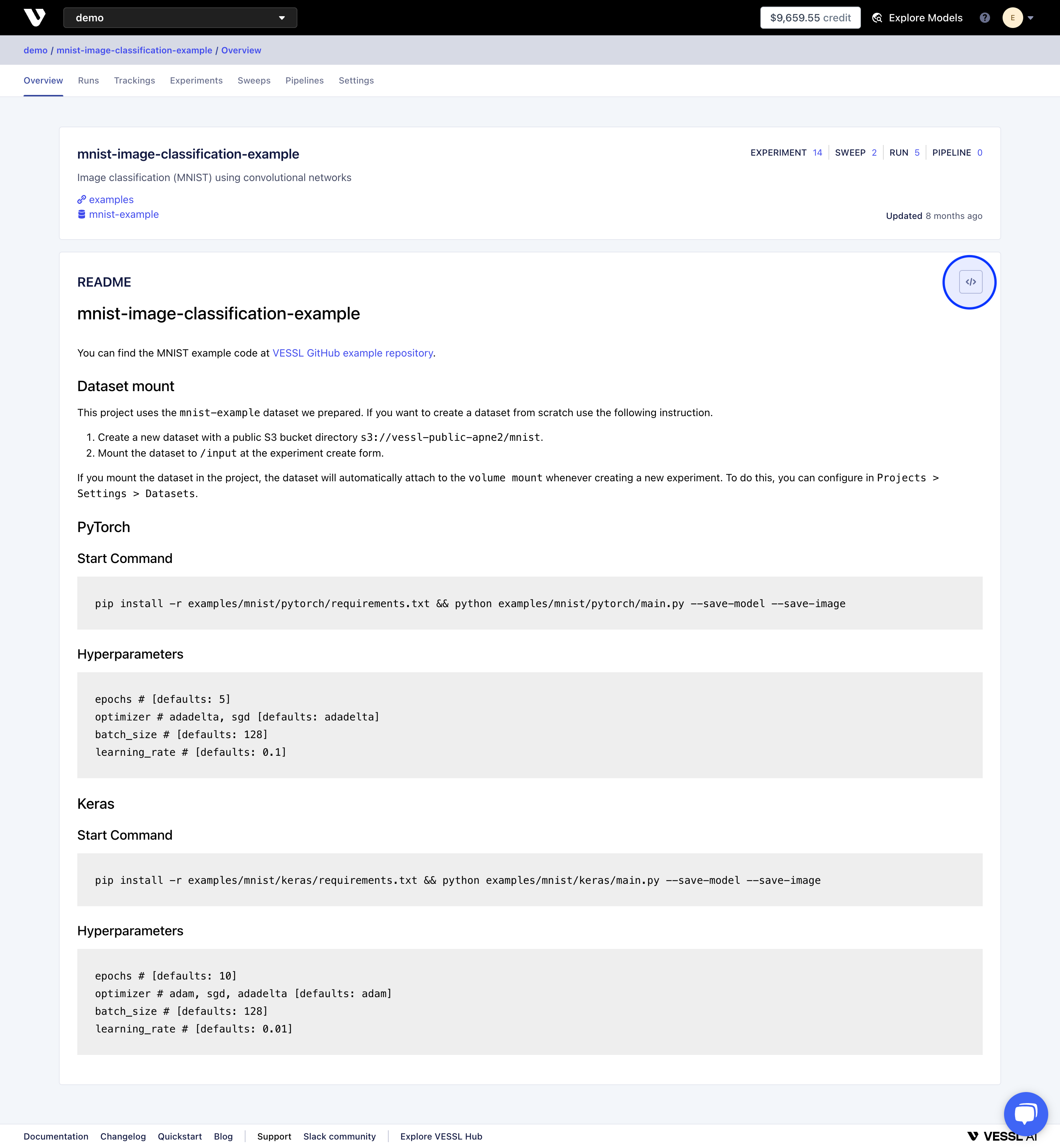 To modify project note, click the settings icon on top of Project Notes card. You will be given a markdown editor to update your notes.