> ## Documentation Index
> Fetch the complete documentation index at: https://docs.vessl.ai/llms.txt
> Use this file to discover all available pages before exploring further.

# Auto-mount repository & Slack notification

## Auto-mount your repository

Projects provide a way to connect code repositories, and VESSL offers an auto-mount feature that seamlessly integrates those repositories as template volumes during run creation.

<Tip>Take a quick tour to learn how to set up the auto-mount feature using the demo below.</Tip>

<div style={{ marginBottom: '150px', position: 'relative', paddingTop: '300px' }}>
  <iframe src="https://demo.arcade.software/shu8X9QM0wv5KIPhPqnb?embed&embed_mobile=tab&embed_desktop=inline&show_copy_link=true" frameBorder="0" loading="lazy" webkitAllowFullScreen="" mozAllowFullScreen="" title="Dashboards" style={{ position: 'absolute', top: '0px', left: '0px', width: '100%', height: '430px', colorScheme: 'light' }} />
</div>

## Slack notification

You can set up **Slack** notifications in Project settings by following the demo below:

<div style={{ marginBottom: '150px', position: 'relative', paddingTop: '300px' }}>
  <iframe src="https://demo.arcade.software/XEAEEYuSWdIuXr1WTHpW?embed&embed_mobile=tab&embed_desktop=inline&show_copy_link=true" frameBorder="0" loading="lazy" webkitAllowFullScreen="" mozAllowFullScreen="" title="Dashboards" style={{ position: 'absolute', top: '0px', left: '0px', width: '100%', height: '430px', colorScheme: 'light' }} />
</div>

***

### Slack notification detailed setup

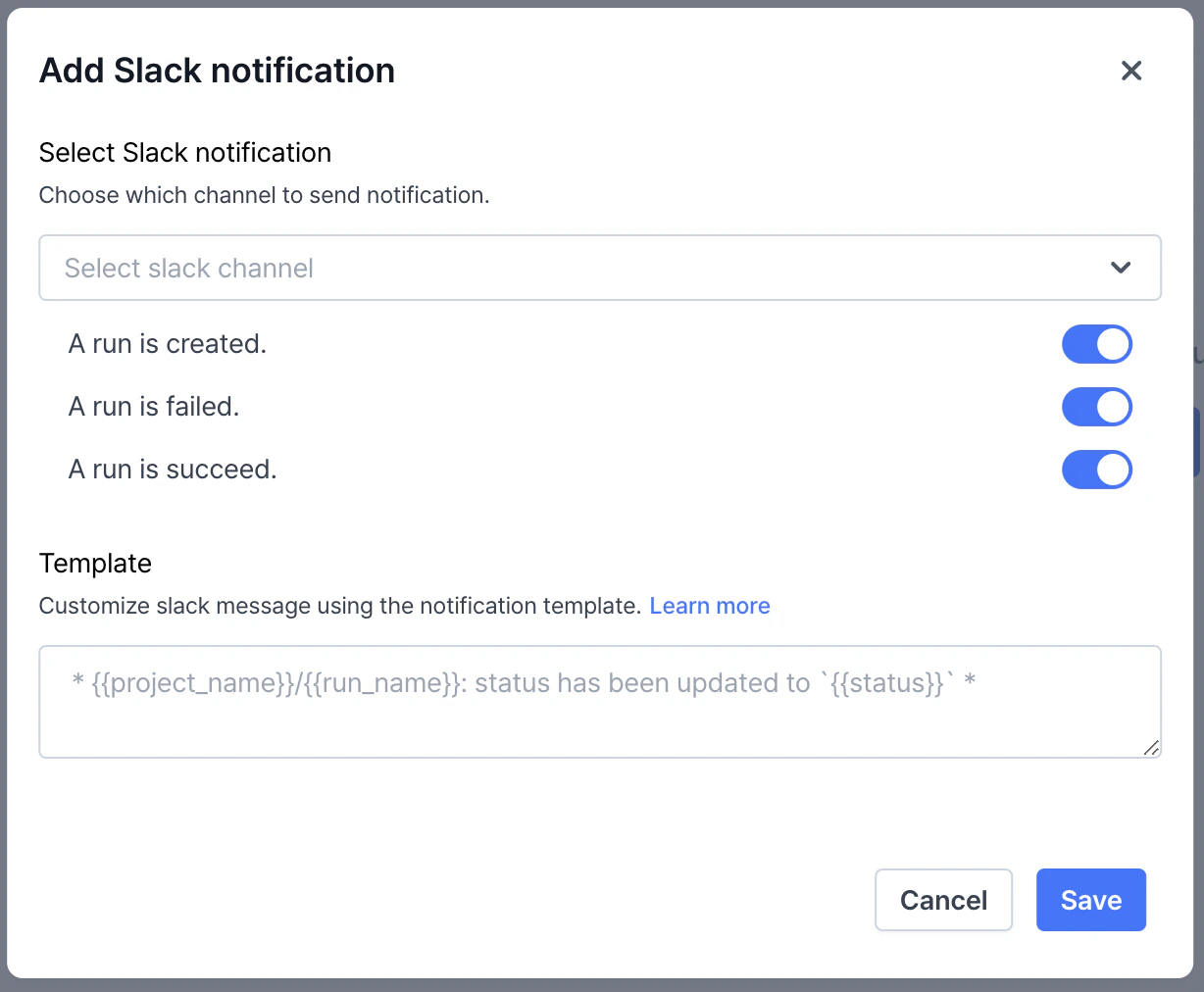
Once you have created a project, you can create a Slack notification in project settings page. Notifications are based on the status of a run within a project. Supported template variables are as follows:

* `{{project_name}}`: The name of the project.
* `{{run_name}}`: The name of the currently running job.
* `{{status}}`: The status of the run at the time the notification is sent.
* `{{last_logs}}`: The most recent n logs from the run.
* `{{exit_code}}`: The exit code returned when the run completes.
<Frame>
  <img style={{ borderRadius: '0.5rem' }} src="https://mintcdn.com/vesslai/5-nrsN-JrH4eYxlc/images/projects/create/4_slack-notification.png?fit=max&auto=format&n=5-nrsN-JrH4eYxlc&q=85&s=c6cf90d998307f3a1ade7613989538eb" width="1228" height="1012" data-path="images/projects/create/4_slack-notification.png" />
</Frame>
