> ## Documentation Index
> Fetch the complete documentation index at: https://docs.vessl.ai/llms.txt
> Use this file to discover all available pages before exploring further.
# Pipeline steps
In VESSL Pipeline, **Pipeline steps** are the building blocks of a pipeline. Each step defines a specific action or decision that needs to be executed in a pipeline.
There are several types of pipeline steps available:
| **Step** | **Description** |
| --------------------------------------------------------------------------- | --------------------------------------------------------------------------------------- |
| [**Run**](/guides/pipeline/pipeline-steps#runstep) | Create a container on the cluster and execute a specific code or command. |
| [**Manual Input**](/guides/pipeline/pipeline-steps#manualinputstep) | Receive input from the user and define variables to use in the pipeline execution. |
| [**Judgment**](/guides/pipeline/pipeline-steps#judgmentstep) | Request the user to make a manual decision. Used often for human-in-the-loop workflows. |
| [**If**](/guides/pipeline/pipeline-steps#ifstep) | Define a condition and execute a specific step based on the condition. |
| [**Fail**](/guides/pipeline/pipeline-steps#failstep) | Terminate the execution and mark it as a failure. |
| [**Notification**](/guides/pipeline/pipeline-steps#notificationstep) | Send a notification to a specific email address. |
| [**Trigger Dispatch**](/guides/pipeline/pipeline-steps#triggerdispatchstep) | Execute another pipeline in the project. |
## Types of pipeline steps
### Run step
The **Run** step in your list indeed shares similarities with [VESSL Run](/guides/run/overview), as both involve creating a container and executing specific commands or code within that environment. However, the run step in the pipeline context is tailored specifically for automation, allowing it to seamlessly integrate with other steps and facilitate streamlined, repetitive tasks.
A run step is composed of the following sections:
#### Metadata
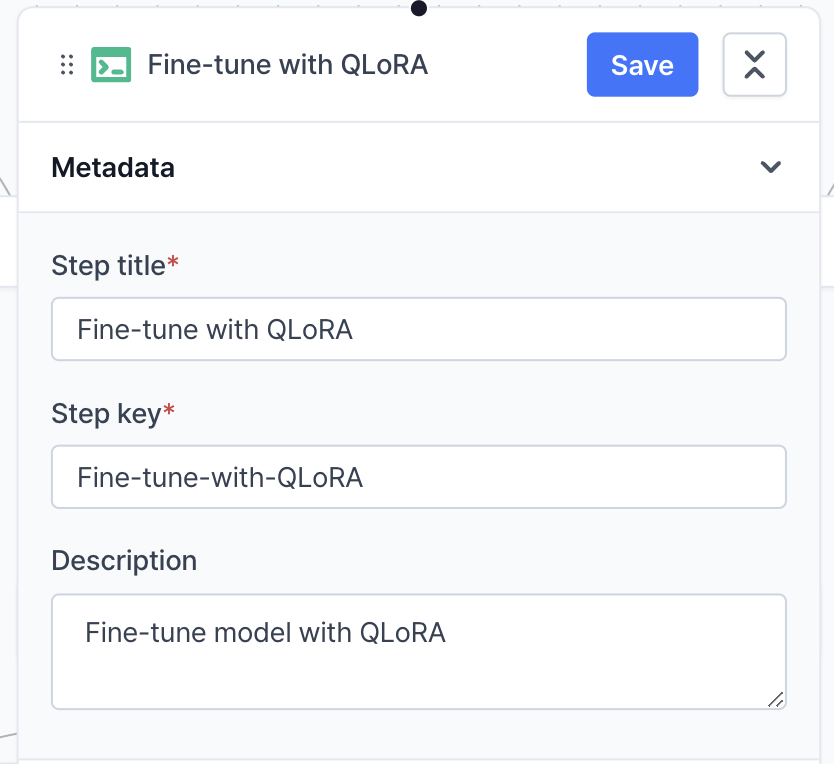 **Metadata** defines the title, key and description of the step.
* **Step title**: Assign a unique and descriptive name to each step. This helps in quickly identifying the purpose of the step across various steps.
* **Step key**: When a user performs related actions across different steps, the step key functions to connect each step by validating whether the step key value matches that of another step the user wants to link.
* **Description**: Provide a concise summary of the step's objectives, configurations, or any specific notes that would help in understanding its purpose and scope at a glance.
#### Resources
**Metadata** defines the title, key and description of the step.
* **Step title**: Assign a unique and descriptive name to each step. This helps in quickly identifying the purpose of the step across various steps.
* **Step key**: When a user performs related actions across different steps, the step key functions to connect each step by validating whether the step key value matches that of another step the user wants to link.
* **Description**: Provide a concise summary of the step's objectives, configurations, or any specific notes that would help in understanding its purpose and scope at a glance.
#### Resources
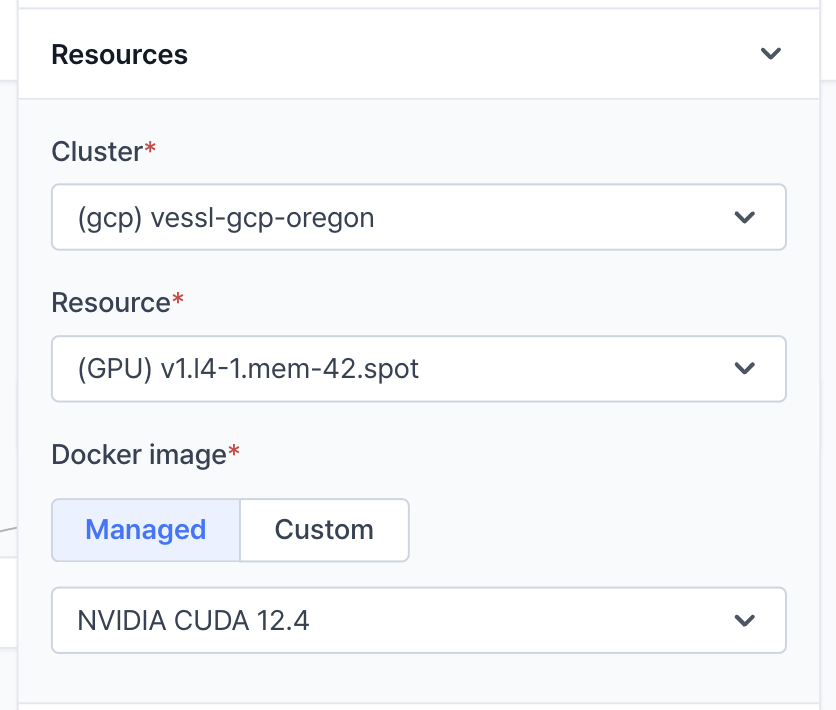 **Resources** defines where and how the container will be executed.
* **Cluster**: The cluster where the container will be executed. VESSL supports managed-cluster (pre-configured resources) and custom cluster (on-premises, particular cloud configurations).
* **Resource**: Resource spec of the container, which defines how much CPU, memory, and GPU resources the container will use.
* **Container image**: The container image that will be used to execute the code. You can choose a pre-pulled image, such as one from NVIDIA GPU Cloud (NGC), or a custom image from sources like Docker Hub or Amazon ECR.
#### Task
**Resources** defines where and how the container will be executed.
* **Cluster**: The cluster where the container will be executed. VESSL supports managed-cluster (pre-configured resources) and custom cluster (on-premises, particular cloud configurations).
* **Resource**: Resource spec of the container, which defines how much CPU, memory, and GPU resources the container will use.
* **Container image**: The container image that will be used to execute the code. You can choose a pre-pulled image, such as one from NVIDIA GPU Cloud (NGC), or a custom image from sources like Docker Hub or Amazon ECR.
#### Task
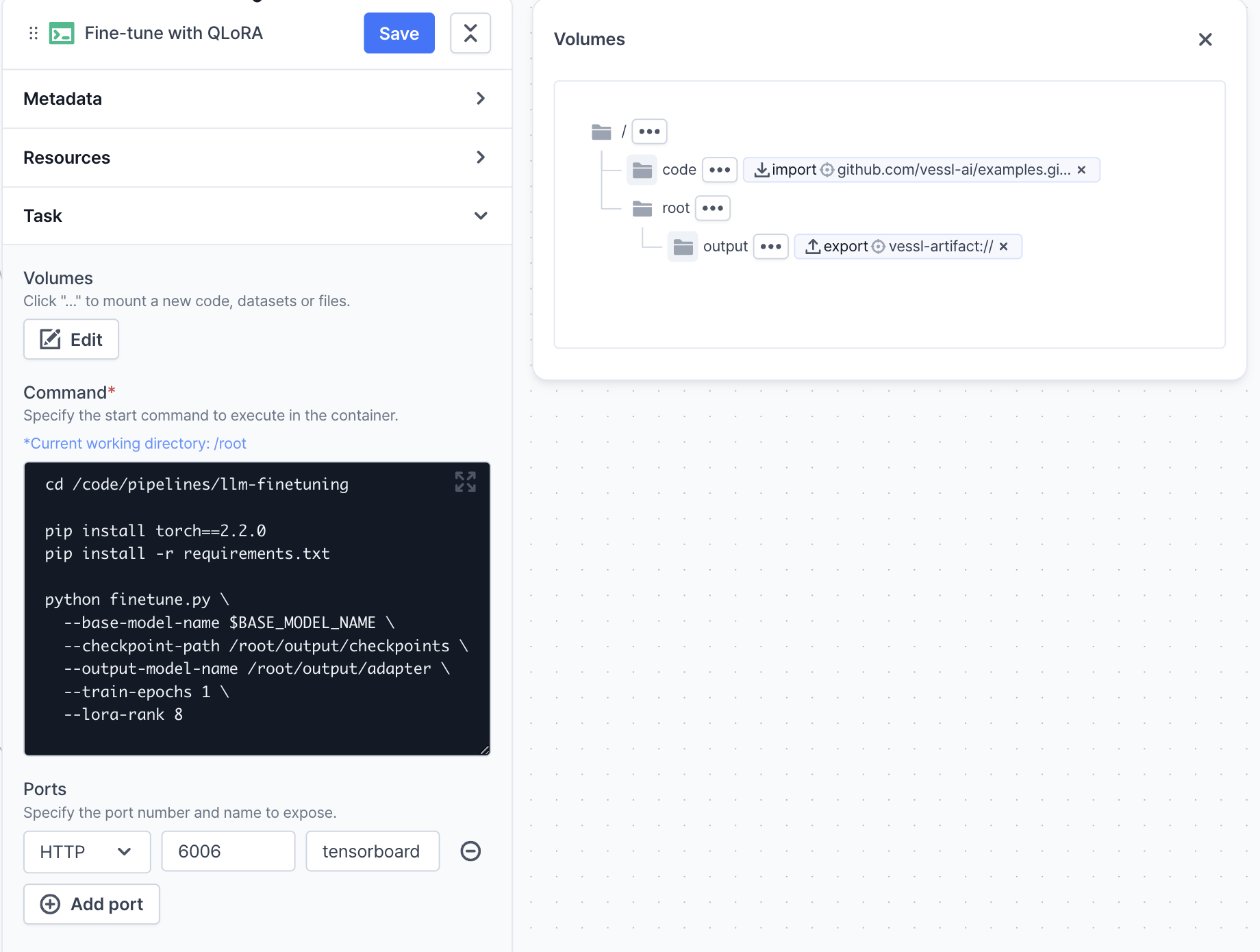 **Task** defines the command and volume mounts of the container to be executed.
* **Volumes**: The volume mounts that will be mounted to the container. You can mount the dataset, model, or any other files to the specified path in the container.
* **Command**: The command that will be executed in the container. You can define the command as a string or an array of strings.
* **Ports**: The ports that will be exposed in the container. Once you expose the port and the container is running, you can access the container through the exposed port.
#### Variables
**Task** defines the command and volume mounts of the container to be executed.
* **Volumes**: The volume mounts that will be mounted to the container. You can mount the dataset, model, or any other files to the specified path in the container.
* **Command**: The command that will be executed in the container. You can define the command as a string or an array of strings.
* **Ports**: The ports that will be exposed in the container. Once you expose the port and the container is running, you can access the container through the exposed port.
#### Variables
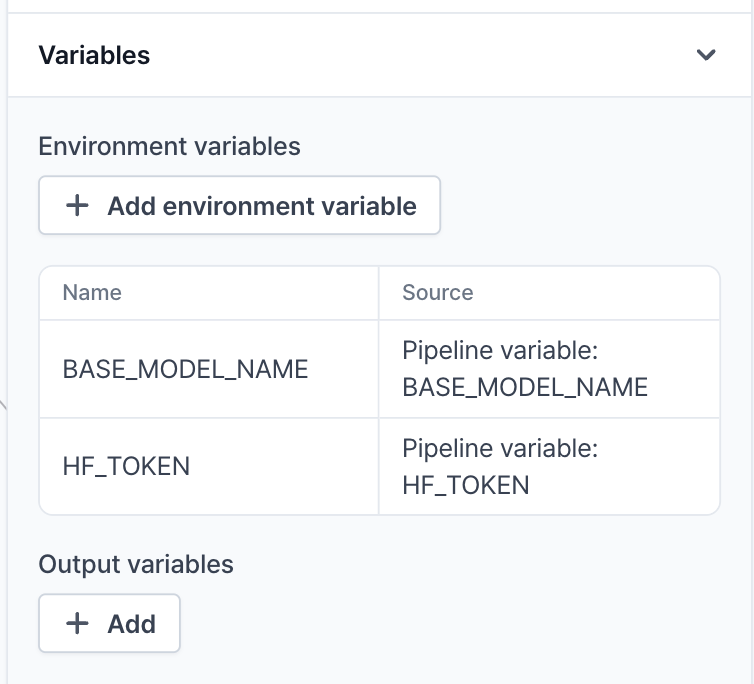 **Variables** defines environment variables that will be injected into the container.
* **Environment variables**: The environment variables that will be injected into the container.
* **Output variables**: The output variables that will be generated from the container. You can export the output variables on the code executed in the container using VESSL SDK like below:
```python theme={null}
import vessl
vessl.update_context_variables(data={"SOME_VARIABLE": "SOME_VALUE"})
```
### Manual Input step
The **Manual Input** step is used to receive input from the user and define variables to use in the pipeline execution. It is often used to define hyperparameters, dataset paths, or any other variables that need to be defined manually.
#### Metadata
**Variables** defines environment variables that will be injected into the container.
* **Environment variables**: The environment variables that will be injected into the container.
* **Output variables**: The output variables that will be generated from the container. You can export the output variables on the code executed in the container using VESSL SDK like below:
```python theme={null}
import vessl
vessl.update_context_variables(data={"SOME_VARIABLE": "SOME_VALUE"})
```
### Manual Input step
The **Manual Input** step is used to receive input from the user and define variables to use in the pipeline execution. It is often used to define hyperparameters, dataset paths, or any other variables that need to be defined manually.
#### Metadata
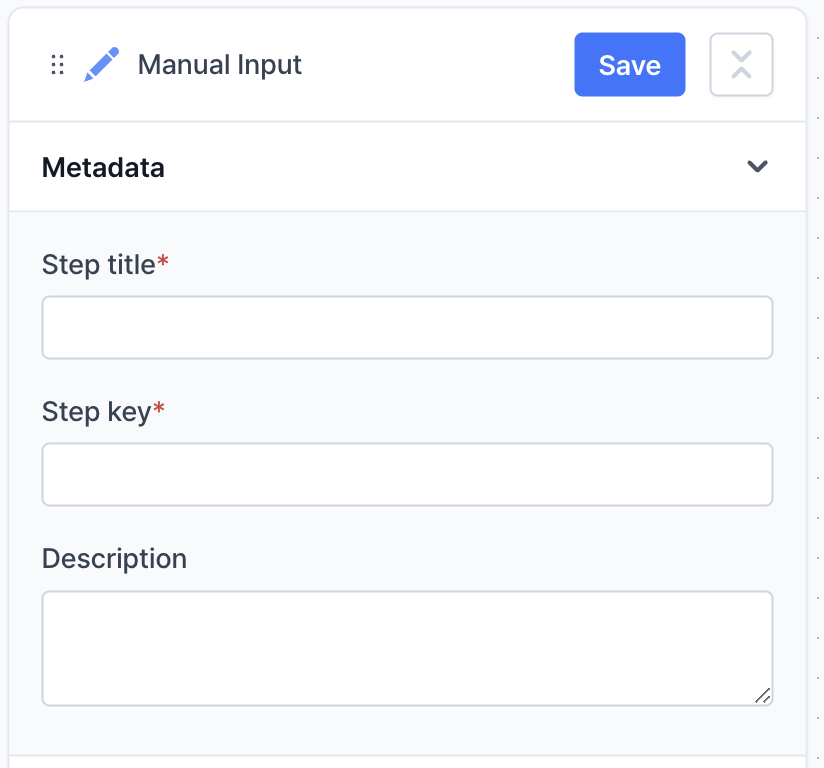 **Metadata** defines the title, key and description of the step.
* **Step title**: Assign a unique and descriptive name to each step. This helps in quickly identifying the purpose of the step across various steps.
* **Step key**: When a user performs related actions across different steps, the step key functions to connect each step by validating whether the step key value matches that of another step the user wants to link.
* **Description**: Provide a concise summary of the step's objectives, configurations, or any specific notes that would help in understanding its purpose and scope at a glance.
#### Input configuration
**Metadata** defines the title, key and description of the step.
* **Step title**: Assign a unique and descriptive name to each step. This helps in quickly identifying the purpose of the step across various steps.
* **Step key**: When a user performs related actions across different steps, the step key functions to connect each step by validating whether the step key value matches that of another step the user wants to link.
* **Description**: Provide a concise summary of the step's objectives, configurations, or any specific notes that would help in understanding its purpose and scope at a glance.
#### Input configuration
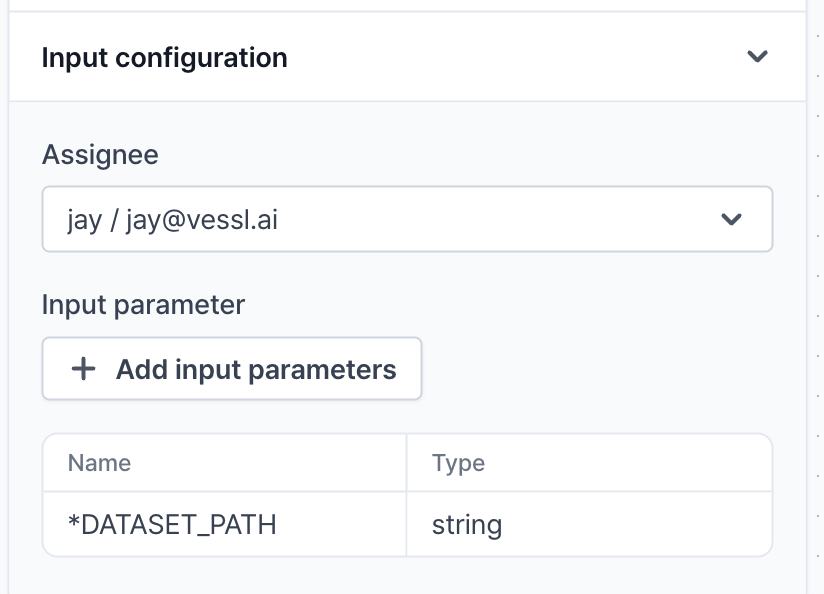 **Input configuration** defines the input variables that will be injected by the user.
* **Assignee**: The user who will be assigned to define the input variables. It can be reassigned during the pipeline execution.
* **Input parameter**: The input variables that will be defined by the user. You can define the name, description and default value of the input variable.
### Judgment step
The **Judgment** step is similar to the `Manual Input` step, but it is used to request the user to make a binary decision (Yes/No). It has two output edges so that you can define the next steps based on the decision.
#### Metadata
**Input configuration** defines the input variables that will be injected by the user.
* **Assignee**: The user who will be assigned to define the input variables. It can be reassigned during the pipeline execution.
* **Input parameter**: The input variables that will be defined by the user. You can define the name, description and default value of the input variable.
### Judgment step
The **Judgment** step is similar to the `Manual Input` step, but it is used to request the user to make a binary decision (Yes/No). It has two output edges so that you can define the next steps based on the decision.
#### Metadata
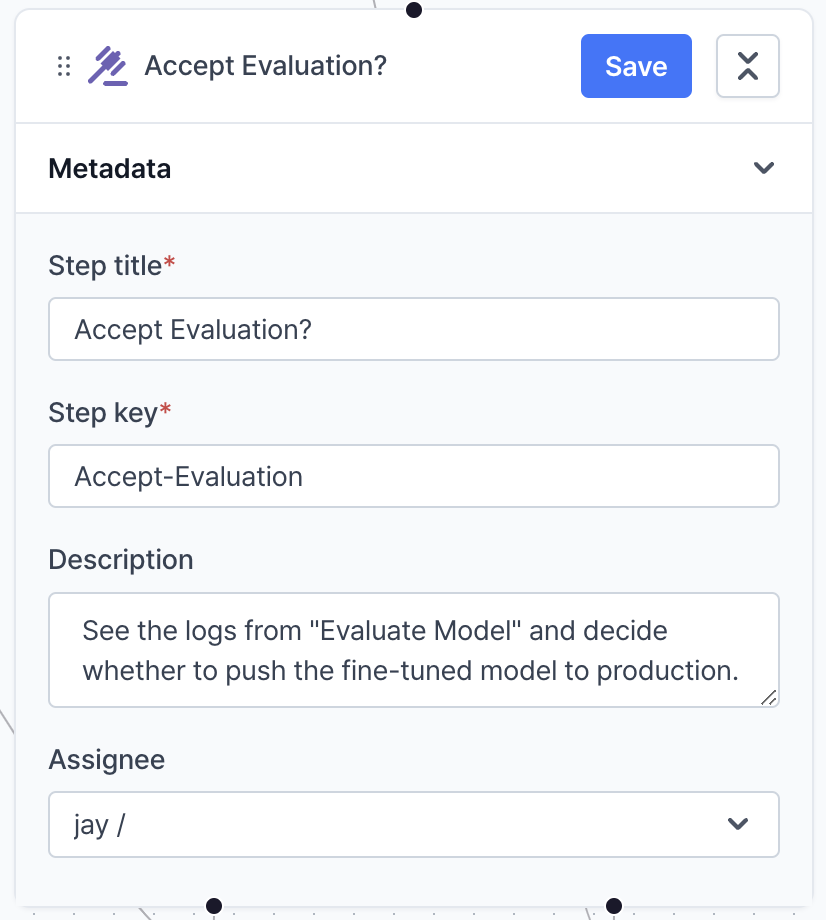 **Metadata** defines the title, key, description and assignee of the step.
* **Step title**: Assign a unique and descriptive name to each step. This helps in quickly identifying the purpose of the step across various steps.
* **Step key**: When a user performs related actions across different steps, the step key functions to connect each step by validating whether the step key value matches that of another step the user wants to link.
* **Description**: Provide a concise summary of the step's objectives, configurations, or any specific notes that would help in understanding its purpose and scope at a glance.
* **Assignee**: The user who will be assigned to make the decision.
### If step
The **If** step is used to define a condition and control workflow based on the condition. It has two output edges: one for the `true` condition and the other for the `false` condition.
#### Metadata
**Metadata** defines the title, key, description and assignee of the step.
* **Step title**: Assign a unique and descriptive name to each step. This helps in quickly identifying the purpose of the step across various steps.
* **Step key**: When a user performs related actions across different steps, the step key functions to connect each step by validating whether the step key value matches that of another step the user wants to link.
* **Description**: Provide a concise summary of the step's objectives, configurations, or any specific notes that would help in understanding its purpose and scope at a glance.
* **Assignee**: The user who will be assigned to make the decision.
### If step
The **If** step is used to define a condition and control workflow based on the condition. It has two output edges: one for the `true` condition and the other for the `false` condition.
#### Metadata
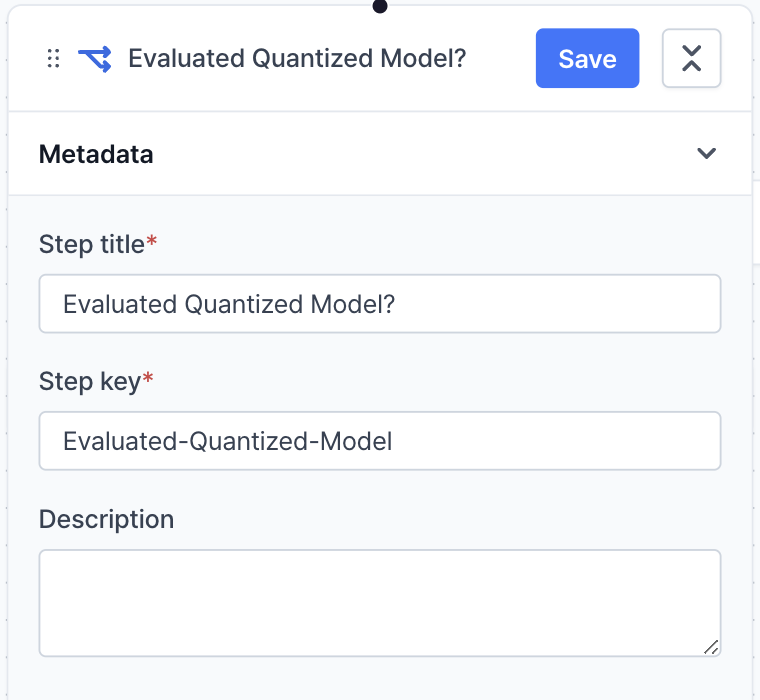 **Metadata** defines the title, key, description and assignee of the step.
* **Step title**: Assign a unique and descriptive name to each step. This helps in quickly identifying the purpose of the step across various steps.
* **Step key**: When a user performs related actions across different steps, the step key functions to connect each step by validating whether the step key value matches that of another step the user wants to link.
* **Description**: Provide a concise summary of the step's objectives, configurations, or any specific notes that would help in understanding its purpose and scope at a glance.
#### Condition
**Metadata** defines the title, key, description and assignee of the step.
* **Step title**: Assign a unique and descriptive name to each step. This helps in quickly identifying the purpose of the step across various steps.
* **Step key**: When a user performs related actions across different steps, the step key functions to connect each step by validating whether the step key value matches that of another step the user wants to link.
* **Description**: Provide a concise summary of the step's objectives, configurations, or any specific notes that would help in understanding its purpose and scope at a glance.
#### Condition
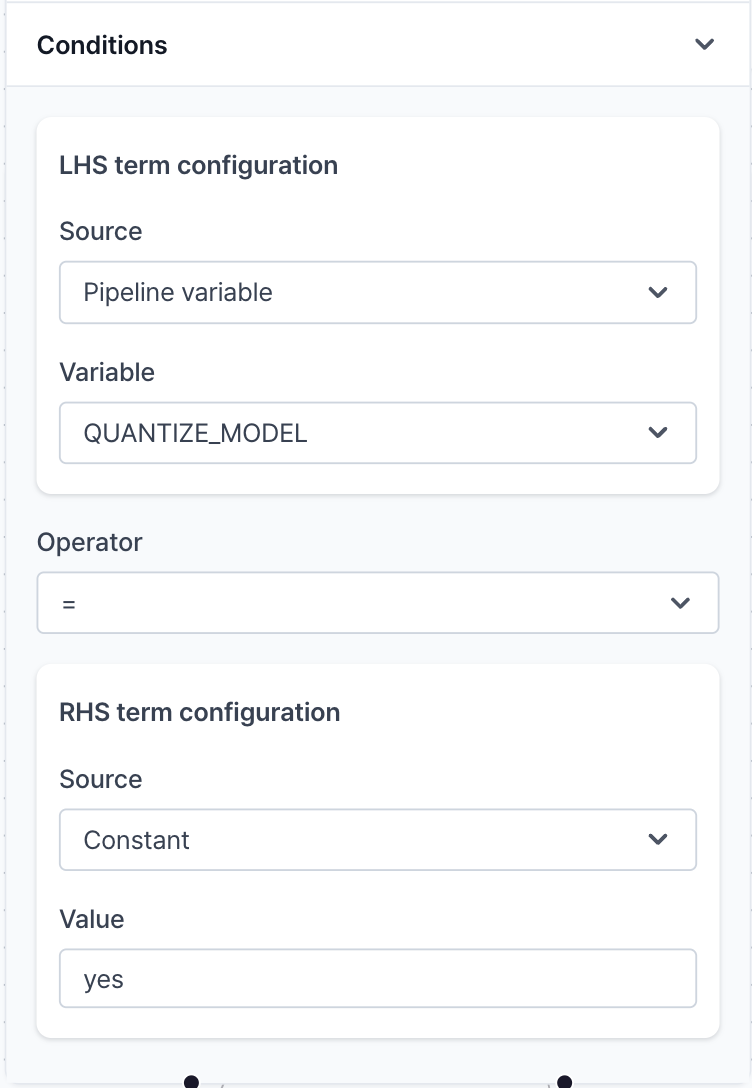 **Condition** defines the condition that will be evaluated.
* **Source**: Source to get the value. You can use **Pipeline variable**, **Step variable** or **Constant** for the source.
* **Variable** (**Value**): The variable that will be used in the condition. If the source is **Constant**, you can define the value directly.
* **Operator**: Comparison operator. You can use `==`, `!=`, `>`, `<`, `>=`, `<=` operators.
### Fail step
The **Fail** step marks the pipeline execution as a failure and terminates the execution. It is often used to handle errors or evaluation failure cases in the workflow.
#### Metadata
**Condition** defines the condition that will be evaluated.
* **Source**: Source to get the value. You can use **Pipeline variable**, **Step variable** or **Constant** for the source.
* **Variable** (**Value**): The variable that will be used in the condition. If the source is **Constant**, you can define the value directly.
* **Operator**: Comparison operator. You can use `==`, `!=`, `>`, `<`, `>=`, `<=` operators.
### Fail step
The **Fail** step marks the pipeline execution as a failure and terminates the execution. It is often used to handle errors or evaluation failure cases in the workflow.
#### Metadata
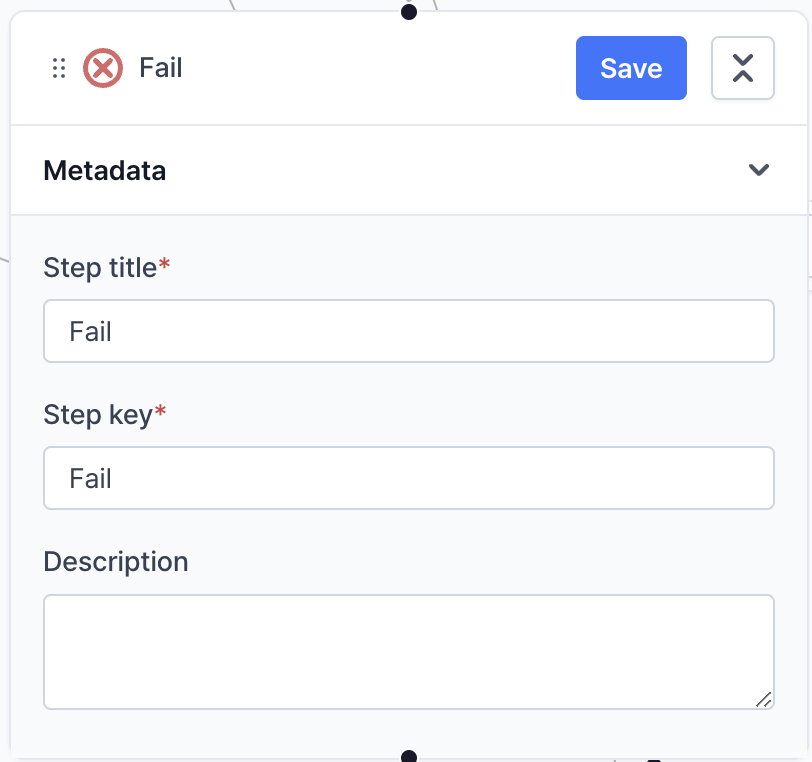 **Metadata** defines the title, key, description and assignee of the step.
* **Step title**: Assign a unique and descriptive name to each step. This helps in quickly identifying the purpose of the step across various steps.
* **Step key**: When a user performs related actions across different steps, the step key functions to connect each step by validating whether the step key value matches that of another step the user wants to link.
* **Description**: Provide a concise summary of the step's objectives, configurations, or any specific notes that would help in understanding its purpose and scope at a glance.
### Notification step
The **Notification** step sends a notification to a specific email address. You can define the title, message, and email address of the notification.
#### Metadata
**Metadata** defines the title, key, description and assignee of the step.
* **Step title**: Assign a unique and descriptive name to each step. This helps in quickly identifying the purpose of the step across various steps.
* **Step key**: When a user performs related actions across different steps, the step key functions to connect each step by validating whether the step key value matches that of another step the user wants to link.
* **Description**: Provide a concise summary of the step's objectives, configurations, or any specific notes that would help in understanding its purpose and scope at a glance.
### Notification step
The **Notification** step sends a notification to a specific email address. You can define the title, message, and email address of the notification.
#### Metadata
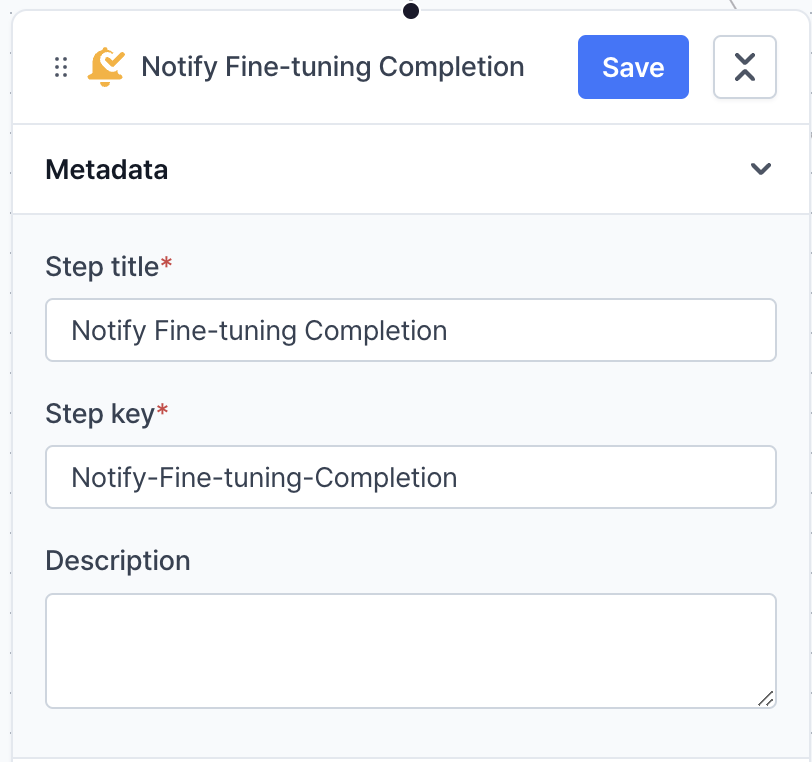 **Metadata** defines the title, key, description and assignee of the step.
* **Step title**: Assign a unique and descriptive name to each step. This helps in quickly identifying the purpose of the step across various steps.
* **Step key**: When a user performs related actions across different steps, the step key functions to connect each step by validating whether the step key value matches that of another step the user wants to link.
* **Description**: Provide a concise summary of the step's objectives, configurations, or any specific notes that would help in understanding its purpose and scope at a glance.
#### Condition
**Metadata** defines the title, key, description and assignee of the step.
* **Step title**: Assign a unique and descriptive name to each step. This helps in quickly identifying the purpose of the step across various steps.
* **Step key**: When a user performs related actions across different steps, the step key functions to connect each step by validating whether the step key value matches that of another step the user wants to link.
* **Description**: Provide a concise summary of the step's objectives, configurations, or any specific notes that would help in understanding its purpose and scope at a glance.
#### Condition
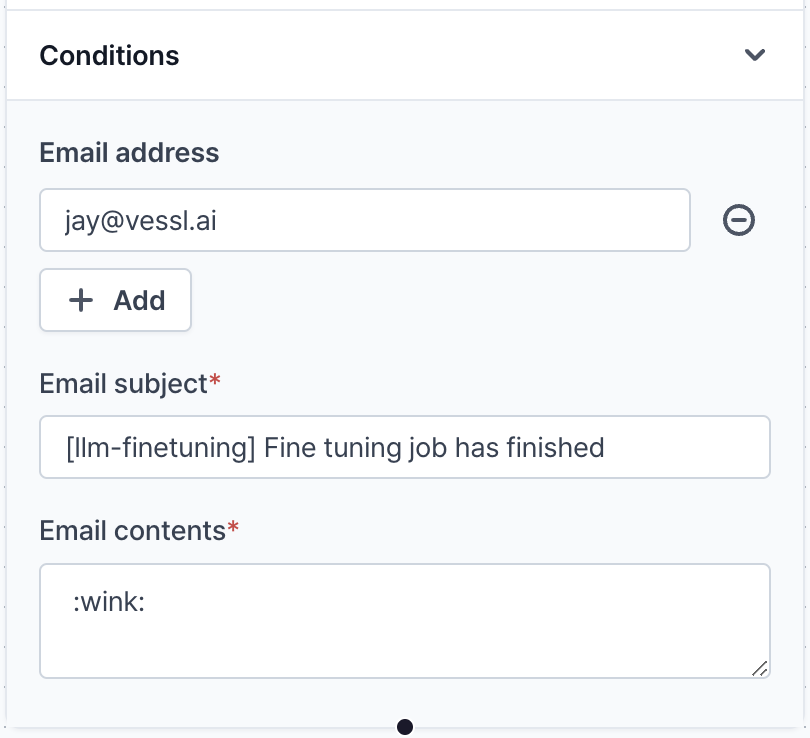 **Condition** defines the title, message, and email address of the notification.
* **Email address**: The email address that will receive the notification.
* **Email subject**: The subject of the email.
* **Email content**: The content of the email.
### Trigger Dispatch Step
**TriggerDispatchStep** works differently from other steps. It does not execute any code or command. Instead, it triggers another pipeline in the project.
#### Metadata
**Condition** defines the title, message, and email address of the notification.
* **Email address**: The email address that will receive the notification.
* **Email subject**: The subject of the email.
* **Email content**: The content of the email.
### Trigger Dispatch Step
**TriggerDispatchStep** works differently from other steps. It does not execute any code or command. Instead, it triggers another pipeline in the project.
#### Metadata
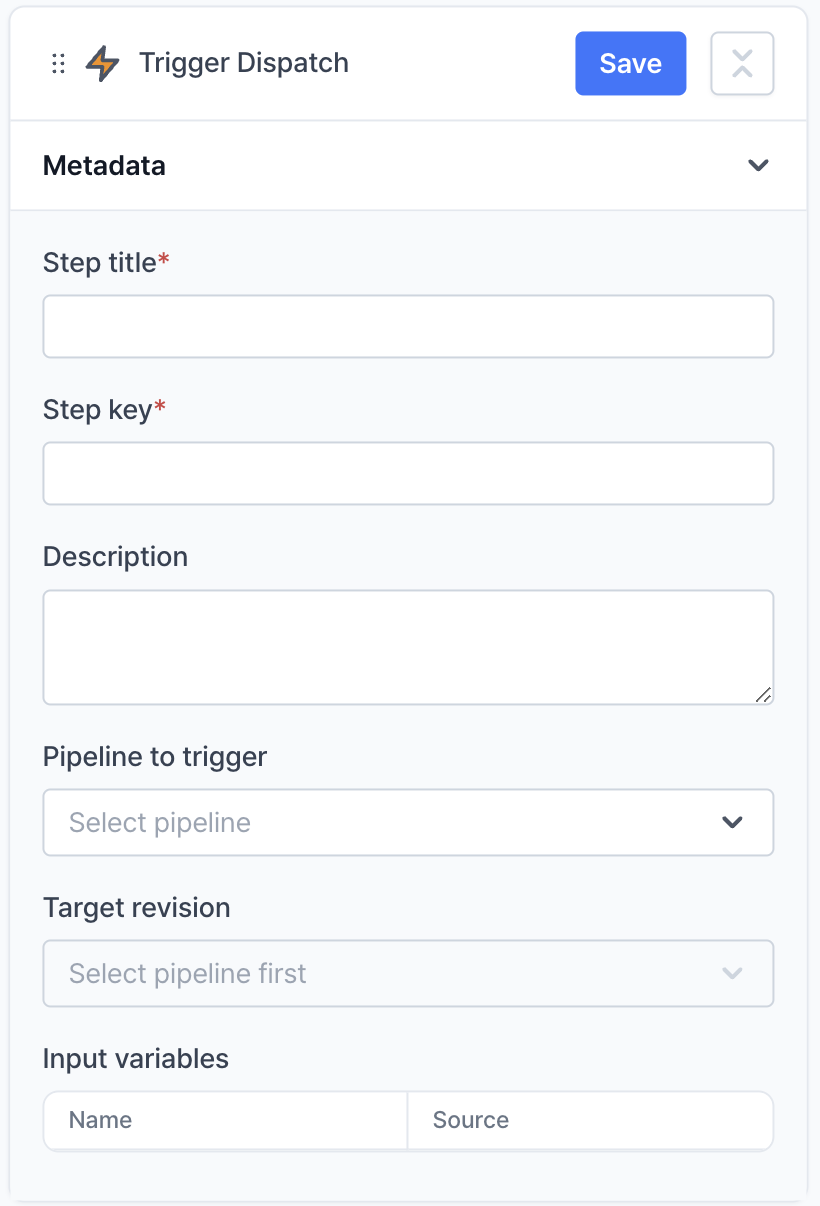 **Metadata** defines the configuration in which the pipeline will be triggered.
* **Step title**: Assign a unique and descriptive name to each step. This helps in quickly identifying the purpose of the step across various steps.
* **Step key**: When a user performs related actions across different steps, the step key functions to connect each step by validating whether the step key value matches that of another step the user wants to link.
* **Description**: Provide a concise summary of the step's objectives, configurations, or any specific notes that would help in understanding its purpose and scope at a glance.
* **Pipeline to trigger**: The pipeline that will be triggered.
* **Target revision**: The revision of the pipeline that will be triggered.
* **Input variables**: The input variables that will be injected into the triggered pipeline.
**Metadata** defines the configuration in which the pipeline will be triggered.
* **Step title**: Assign a unique and descriptive name to each step. This helps in quickly identifying the purpose of the step across various steps.
* **Step key**: When a user performs related actions across different steps, the step key functions to connect each step by validating whether the step key value matches that of another step the user wants to link.
* **Description**: Provide a concise summary of the step's objectives, configurations, or any specific notes that would help in understanding its purpose and scope at a glance.
* **Pipeline to trigger**: The pipeline that will be triggered.
* **Target revision**: The revision of the pipeline that will be triggered.
* **Input variables**: The input variables that will be injected into the triggered pipeline.