> ## Documentation Index
> Fetch the complete documentation index at: https://docs.vessl.ai/llms.txt
> Use this file to discover all available pages before exploring further.
# Phi-4-mini-reasoning deployment
> Serve & deploy vLLM-accelerated Phi-4-mini-reasoning
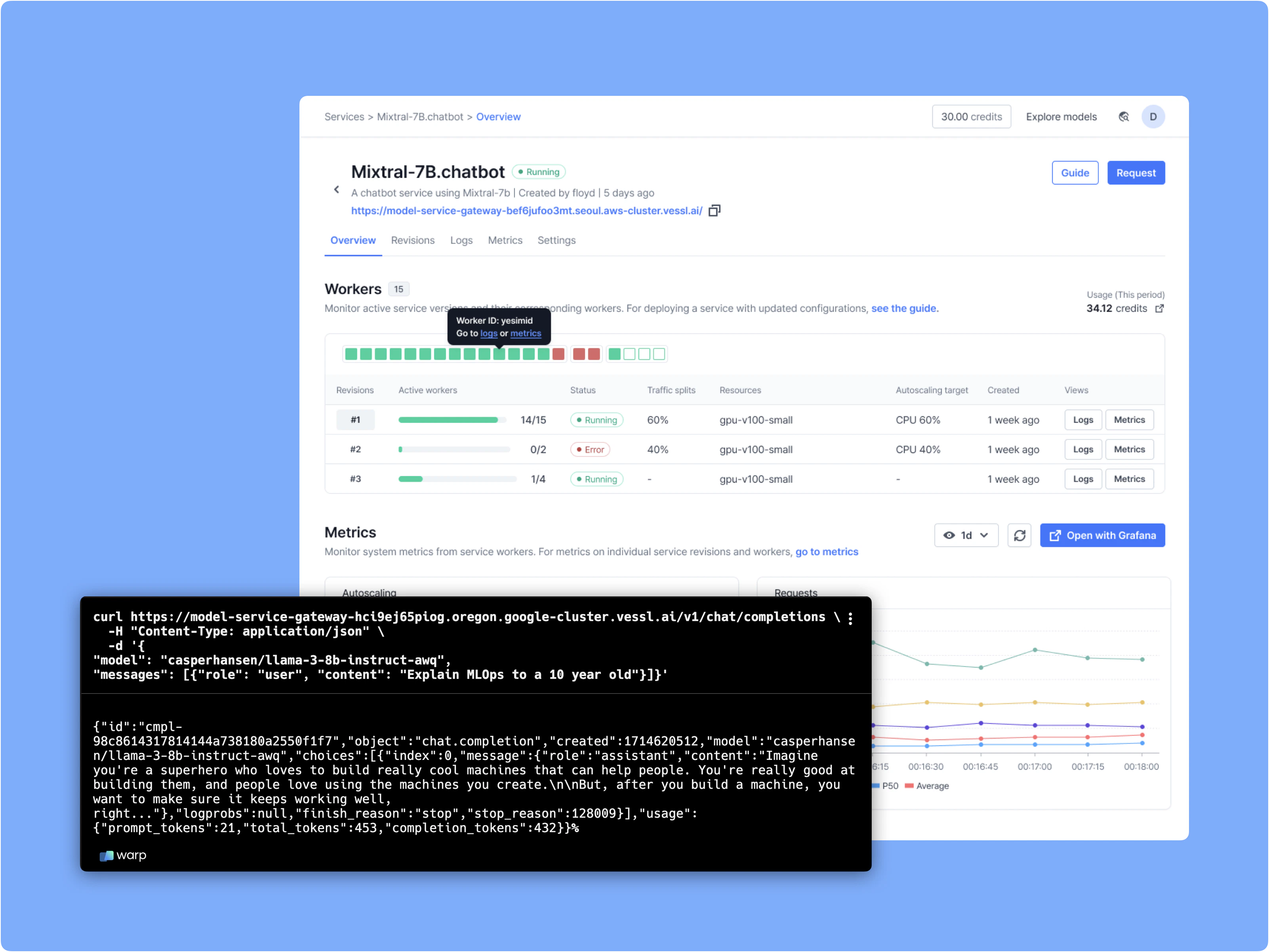
This example deploys a text generation API using [Phi-4-mini-reasoning](https://huggingface.co/microsoft/Phi-4-mini-reasoning) and [vLLM](https://github.com/vllm-project/vllm). It illustrates how VESSL AI facilitates the common logics of model deployment from launching a GPU-accelerated service workload to establishing an API server.
Upon deployment, VESSL also offloads the challenges in managing production models while ensuring availability, scalability, and reliability.
VESSL guides you to **smooth** and **seamless performance** with the following items:
* Autoscaling the model to handle peak loads and scale to zero when it's not being used.
* Routing traffic efficiently across different model versions.
* Providing a real-time monitoring of predictions and performance metrics through comprehensive dashboards and logs.
Read our [announcement post](https://blog.vessl.ai/en/posts/vessl-serve) for more details.
See the completed YAML definition for VESSL Service.
## What you will do
 * Define a text generation API and create a model endpoint
* Define service specifications
* Deploy model to VESSL managed GPU cloud
## Set up your environment
We'll start with the [Phi-4-mini-reasoning example](https://github.com/vessl-ai/examples/tree/main/services/service-quickstart), which demonstrates how to deploy an AI service using a single YAML file. Follow these steps to prepare:
```sh theme={null}
# Clone the example repository
git clone https://github.com/vessl-ai/examples.git
## Install and configure vessl
pip install vessl
vessl configure
```
## Deploy a vLLM Phi-4-mini-reasoning Server with VESSL Service
Configure resource and environment to run vLLM Phi-4-mini-reasoning server through YAML file as follows.
```yaml theme={null}
# quickstart.yaml
message: Quickstart to serve Phi-4-mini-reasoning model with vllm.
image: quay.io/vessl-ai/torch:2.3.1-cuda12.1-r5
resources:
cluster: vessl-oci-sanjose
preset: gpu-a10-small
run: |-
apt update && apt install -y libgl1
pip install --upgrade vllm accelerate https://github.com/Dao-AILab/flash-attention/releases/download/v2.8.1/flash_attn-2.8.1+cu12torch2.7cxx11abiTRUE-cp310-cp310-linux_x86_64.whl --no-build-isolation
vllm serve $MODEL_NAME --max-model-len 32768
env:
MODEL_NAME: microsoft/Phi-4-mini-reasoning
ports:
- port: 8000
service:
autoscaling:
max: 2
metric: cpu
min: 1
target: 50
monitoring:
- port: 8000
path: /metrics
expose: 8000
```
For YAML manifest details, refer to the [YAML schema reference](/reference/yaml/serve-yaml).
Deploy your server easily using the YAML configuration and VESSL CLI with the following command:
```sh theme={null}
cd examples/services/service-quickstart
vessl service create -f quickstart.yaml
```
* Define a text generation API and create a model endpoint
* Define service specifications
* Deploy model to VESSL managed GPU cloud
## Set up your environment
We'll start with the [Phi-4-mini-reasoning example](https://github.com/vessl-ai/examples/tree/main/services/service-quickstart), which demonstrates how to deploy an AI service using a single YAML file. Follow these steps to prepare:
```sh theme={null}
# Clone the example repository
git clone https://github.com/vessl-ai/examples.git
## Install and configure vessl
pip install vessl
vessl configure
```
## Deploy a vLLM Phi-4-mini-reasoning Server with VESSL Service
Configure resource and environment to run vLLM Phi-4-mini-reasoning server through YAML file as follows.
```yaml theme={null}
# quickstart.yaml
message: Quickstart to serve Phi-4-mini-reasoning model with vllm.
image: quay.io/vessl-ai/torch:2.3.1-cuda12.1-r5
resources:
cluster: vessl-oci-sanjose
preset: gpu-a10-small
run: |-
apt update && apt install -y libgl1
pip install --upgrade vllm accelerate https://github.com/Dao-AILab/flash-attention/releases/download/v2.8.1/flash_attn-2.8.1+cu12torch2.7cxx11abiTRUE-cp310-cp310-linux_x86_64.whl --no-build-isolation
vllm serve $MODEL_NAME --max-model-len 32768
env:
MODEL_NAME: microsoft/Phi-4-mini-reasoning
ports:
- port: 8000
service:
autoscaling:
max: 2
metric: cpu
min: 1
target: 50
monitoring:
- port: 8000
path: /metrics
expose: 8000
```
For YAML manifest details, refer to the [YAML schema reference](/reference/yaml/serve-yaml).
Deploy your server easily using the YAML configuration and VESSL CLI with the following command:
```sh theme={null}
cd examples/services/service-quickstart
vessl service create -f quickstart.yaml
```
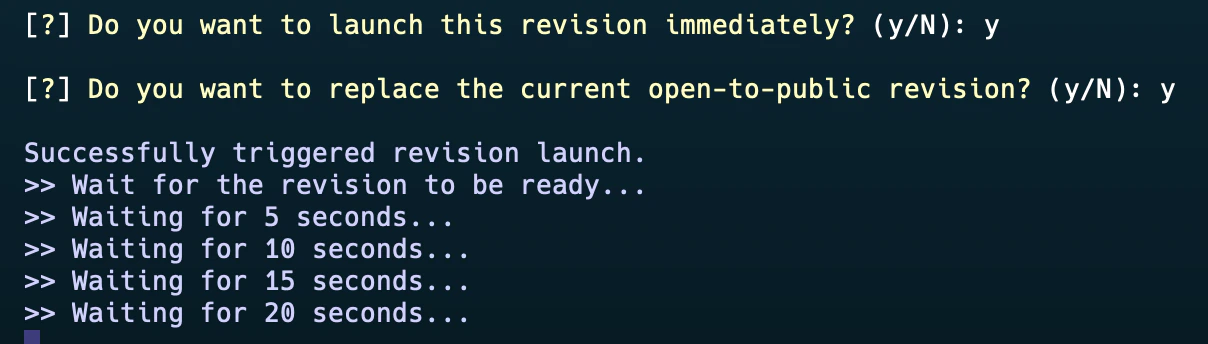 Upon activation, access your model via the provided endpoint, as depicted below:
 Due to compatibility issues between Python and VESSL CLI, executing the command (`vessl service create -f quickstart.yaml`) may temporarily result in unexpected errors. **If this occurs, please use VESSL CLI with Python 3.12 for the time being.** We are working on it.
## Explore the API Documentation
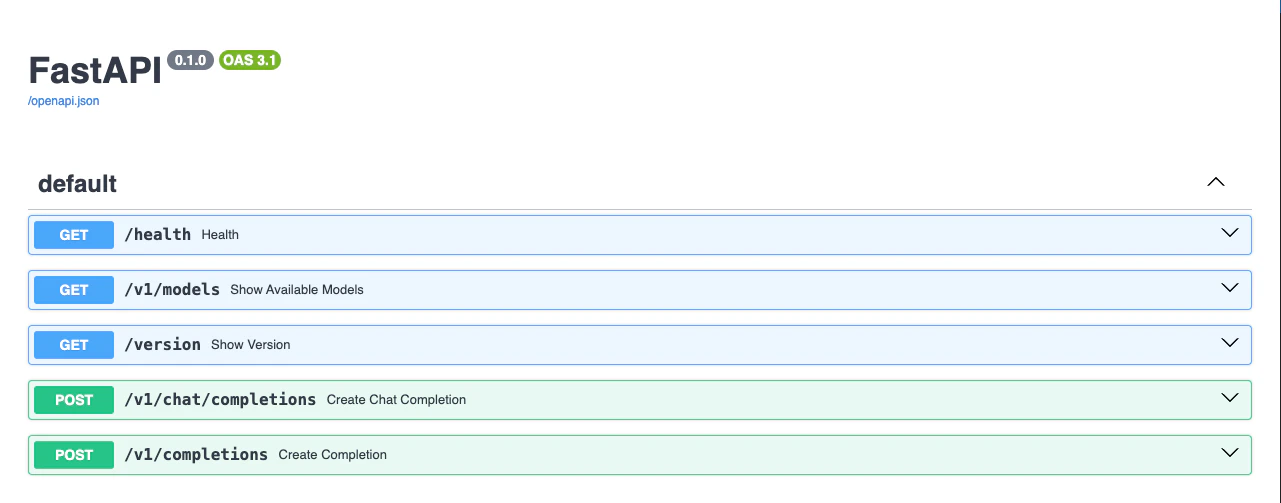
Access the API documentation by appending `/docs` to your endpoint URL:
Due to compatibility issues between Python and VESSL CLI, executing the command (`vessl service create -f quickstart.yaml`) may temporarily result in unexpected errors. **If this occurs, please use VESSL CLI with Python 3.12 for the time being.** We are working on it.
## Explore the API Documentation
Access the API documentation by appending `/docs` to your endpoint URL:
 ## Test the API with an OpenAI Client
For compatibility with OpenAI clients, install the OpenAI Python package:
```python theme={null}
pip install openai
```
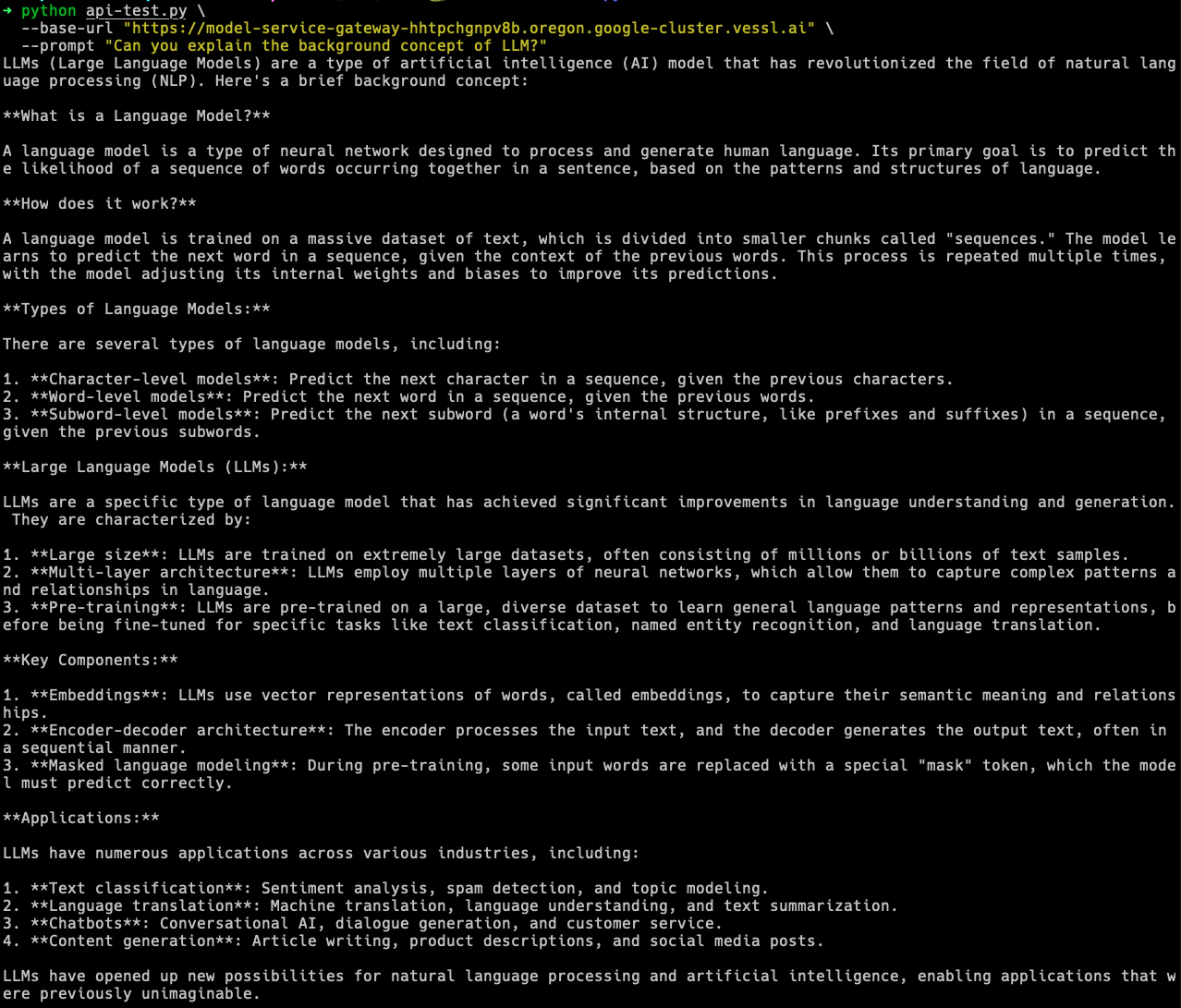
Test your deployed API using the `api-test.py` script. Replace `YOUR-SERVICE-ENDPOINT` with your actual endpoint and execute the command below:
```python theme={null}
python api-test.py \
--base-url "https://{YOUR-SERVICE-ENDPOINT}" \
--prompt "Can you explain the background concept of LLM?"
```
## Test the API with an OpenAI Client
For compatibility with OpenAI clients, install the OpenAI Python package:
```python theme={null}
pip install openai
```
Test your deployed API using the `api-test.py` script. Replace `YOUR-SERVICE-ENDPOINT` with your actual endpoint and execute the command below:
```python theme={null}
python api-test.py \
--base-url "https://{YOUR-SERVICE-ENDPOINT}" \
--prompt "Can you explain the background concept of LLM?"
```
 ### Troubleshooting
* **NotFound (404): Requested entity not found** error while creating Revisions or Gateways via CLI:
* Use the `vessl whoami` command to confirm if the default organization matches the one where Service exists.
* You can use the `vessl configure --reset` command to change the default organization.
* Ensure that Service is properly created within the selected default organization.
* **What's the difference between Gateway and Endpoint?**
* There is no difference between the two terms; they refer to the same concept.
* To prevent confusion, these terms will be unified under "Endpoint" in the future.
* **HPA Scale-in/Scale-out Approach:**
* Currently, VESSL Service operates based on Kubernetes' Horizontal Pod Autoscaler (HPA) and uses its algorithms as is. For detailed information, refer to the [Kubernetes documentation](https://kubernetes.io/ko/docs/tasks/run-application/horizontal-pod-autoscale/).
* As an example of how it works based on CPU metrics:
* Desired replicas = `ceil[current replicas * ( current CPU metric value / desired CPU metric value )]`
* The HPA constantly monitors this metric and adjusts the current replicas within the `[min, max]` range.
## What's next?
Next, let's see how you can serve your model with serverless mode with Text Generation Inference(TGI).
Deploy with VESSL Service Serverless mode
### Troubleshooting
* **NotFound (404): Requested entity not found** error while creating Revisions or Gateways via CLI:
* Use the `vessl whoami` command to confirm if the default organization matches the one where Service exists.
* You can use the `vessl configure --reset` command to change the default organization.
* Ensure that Service is properly created within the selected default organization.
* **What's the difference between Gateway and Endpoint?**
* There is no difference between the two terms; they refer to the same concept.
* To prevent confusion, these terms will be unified under "Endpoint" in the future.
* **HPA Scale-in/Scale-out Approach:**
* Currently, VESSL Service operates based on Kubernetes' Horizontal Pod Autoscaler (HPA) and uses its algorithms as is. For detailed information, refer to the [Kubernetes documentation](https://kubernetes.io/ko/docs/tasks/run-application/horizontal-pod-autoscale/).
* As an example of how it works based on CPU metrics:
* Desired replicas = `ceil[current replicas * ( current CPU metric value / desired CPU metric value )]`
* The HPA constantly monitors this metric and adjusts the current replicas within the `[min, max]` range.
## What's next?
Next, let's see how you can serve your model with serverless mode with Text Generation Inference(TGI).
Deploy with VESSL Service Serverless mode