> ## Documentation Index
> Fetch the complete documentation index at: https://docs.vessl.ai/llms.txt
> Use this file to discover all available pages before exploring further.
# Configure custom endpoint
You can configure custom endpoint settings in the **Endpoints** tab.
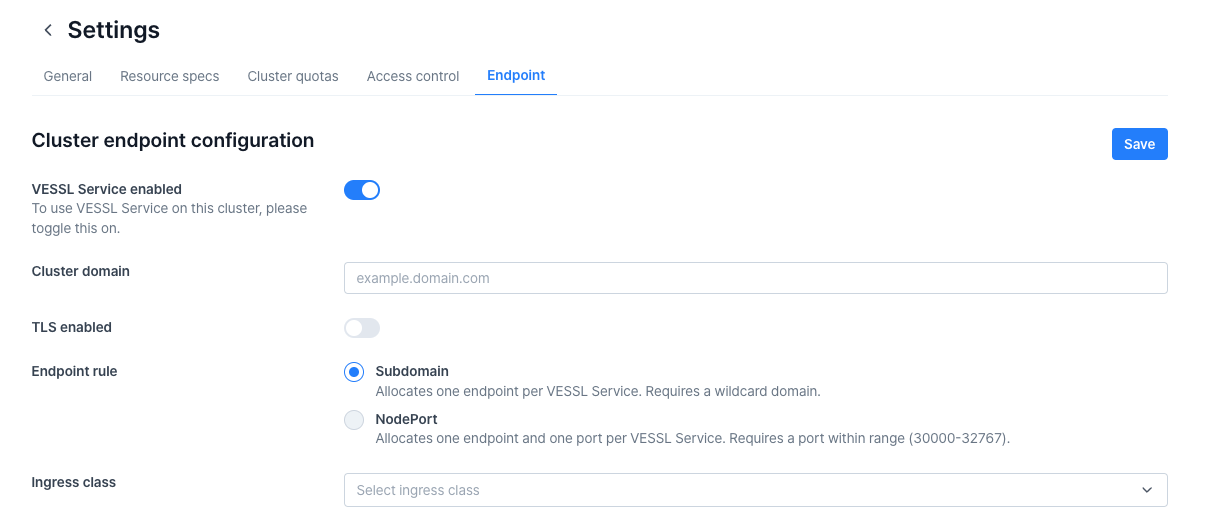 If you want to use **VESSL Service**, you must enable the **VESSL Service Enabled** option in this tab. Additionally, this tab allows you to configure custom endpoints and manage TLS settings.
Both **Subdomain** and **NodePort** modes support TLS options, but there are key differences:
* **If you use NodePort mode, you must upgrade the cluster-agent to version 0.6.28 or higher for compatibility.**
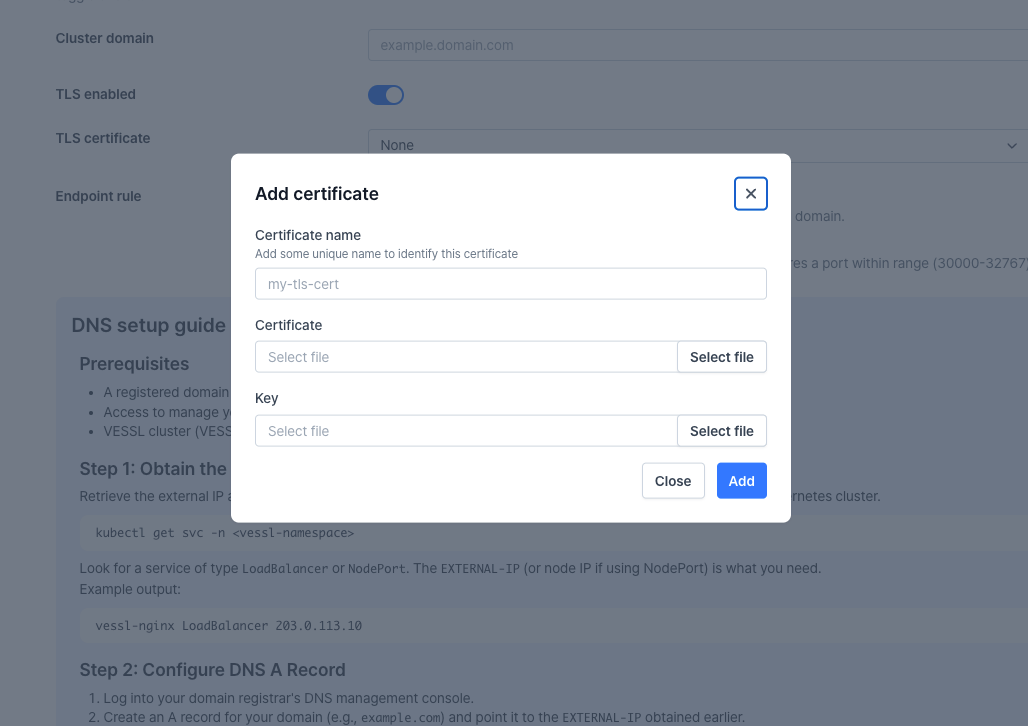
* **Subdomain** mode does not support TLS certificates, whereas **NodePort** mode requires manual certificate registration.
If you want to use **VESSL Service**, you must enable the **VESSL Service Enabled** option in this tab. Additionally, this tab allows you to configure custom endpoints and manage TLS settings.
Both **Subdomain** and **NodePort** modes support TLS options, but there are key differences:
* **If you use NodePort mode, you must upgrade the cluster-agent to version 0.6.28 or higher for compatibility.**
* **Subdomain** mode does not support TLS certificates, whereas **NodePort** mode requires manual certificate registration.
 ## Mode differences
* **Subdomain Mode**:
* Allows customizing the hostname, making it accessible as **https\://\*.yourdomain.com**.
* **Requires configuring an IngressClass.**
* **You can only select an IngressClass that is available in the cluster.**
* The selected IngressClass is used to create the corresponding Ingress resource.
* **NodePort Mode**:
* A suitable option when wildcard certificates are unavailable.
* Requires manual TLS certificate registration and is accessible at **[https://yourdomain.com:30010](https://yourdomain.com:30010)**.
## Mode differences
* **Subdomain Mode**:
* Allows customizing the hostname, making it accessible as **https\://\*.yourdomain.com**.
* **Requires configuring an IngressClass.**
* **You can only select an IngressClass that is available in the cluster.**
* The selected IngressClass is used to create the corresponding Ingress resource.
* **NodePort Mode**:
* A suitable option when wildcard certificates are unavailable.
* Requires manual TLS certificate registration and is accessible at **[https://yourdomain.com:30010](https://yourdomain.com:30010)**.