> ## Documentation Index
> Fetch the complete documentation index at: https://docs.vessl.ai/llms.txt
> Use this file to discover all available pages before exploring further.
# Access control
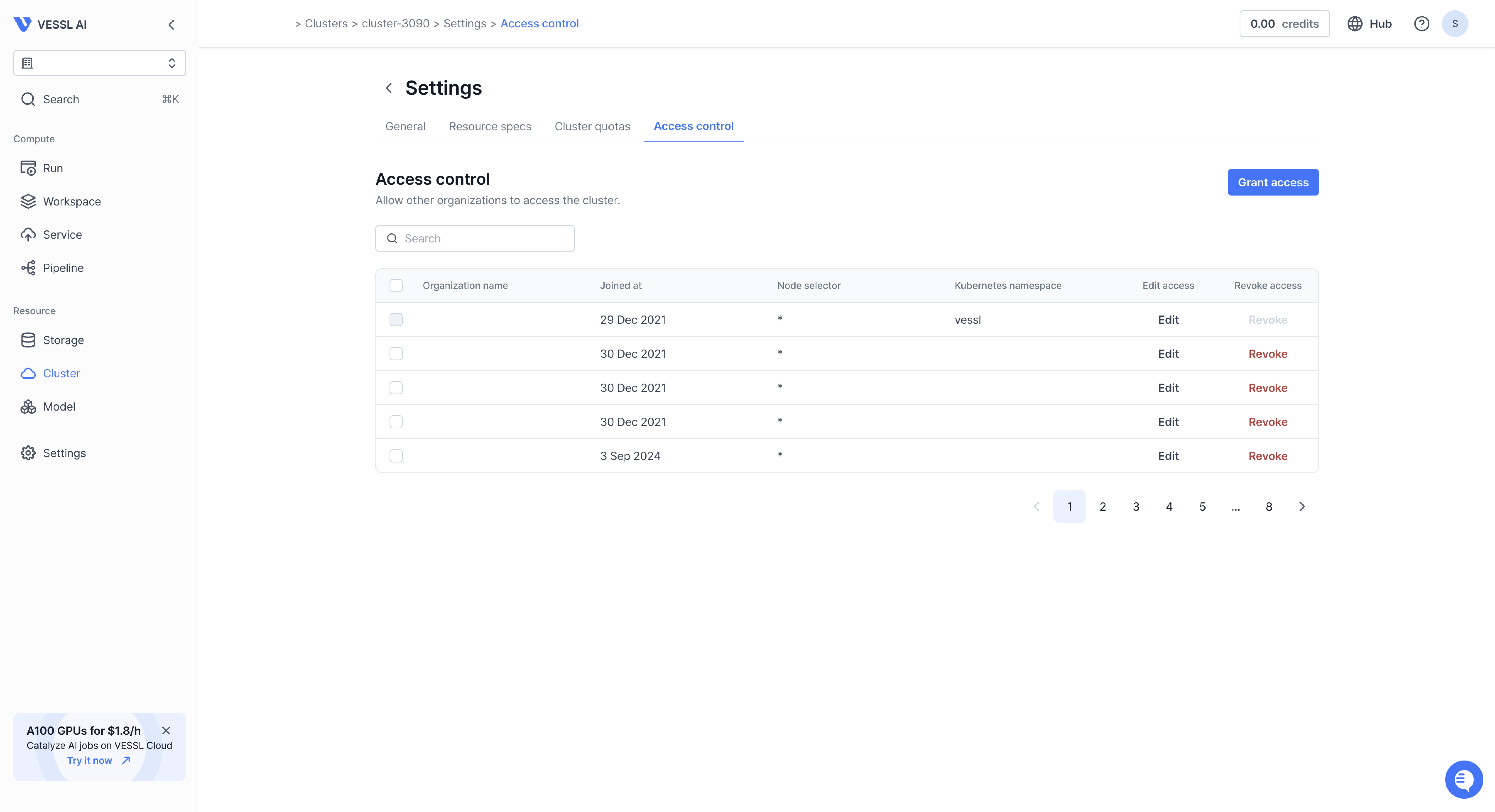 Under **Access control**, an organization manager can grant, manage, and retrieve access to shared clusters.
If you need more information about **Organization**, please refer to the **[Organization](/guides/organization/overview)** section.
## Grant access
Click **Grant access** and define the following parameters.
Under **Access control**, an organization manager can grant, manage, and retrieve access to shared clusters.
If you need more information about **Organization**, please refer to the **[Organization](/guides/organization/overview)** section.
## Grant access
Click **Grant access** and define the following parameters.
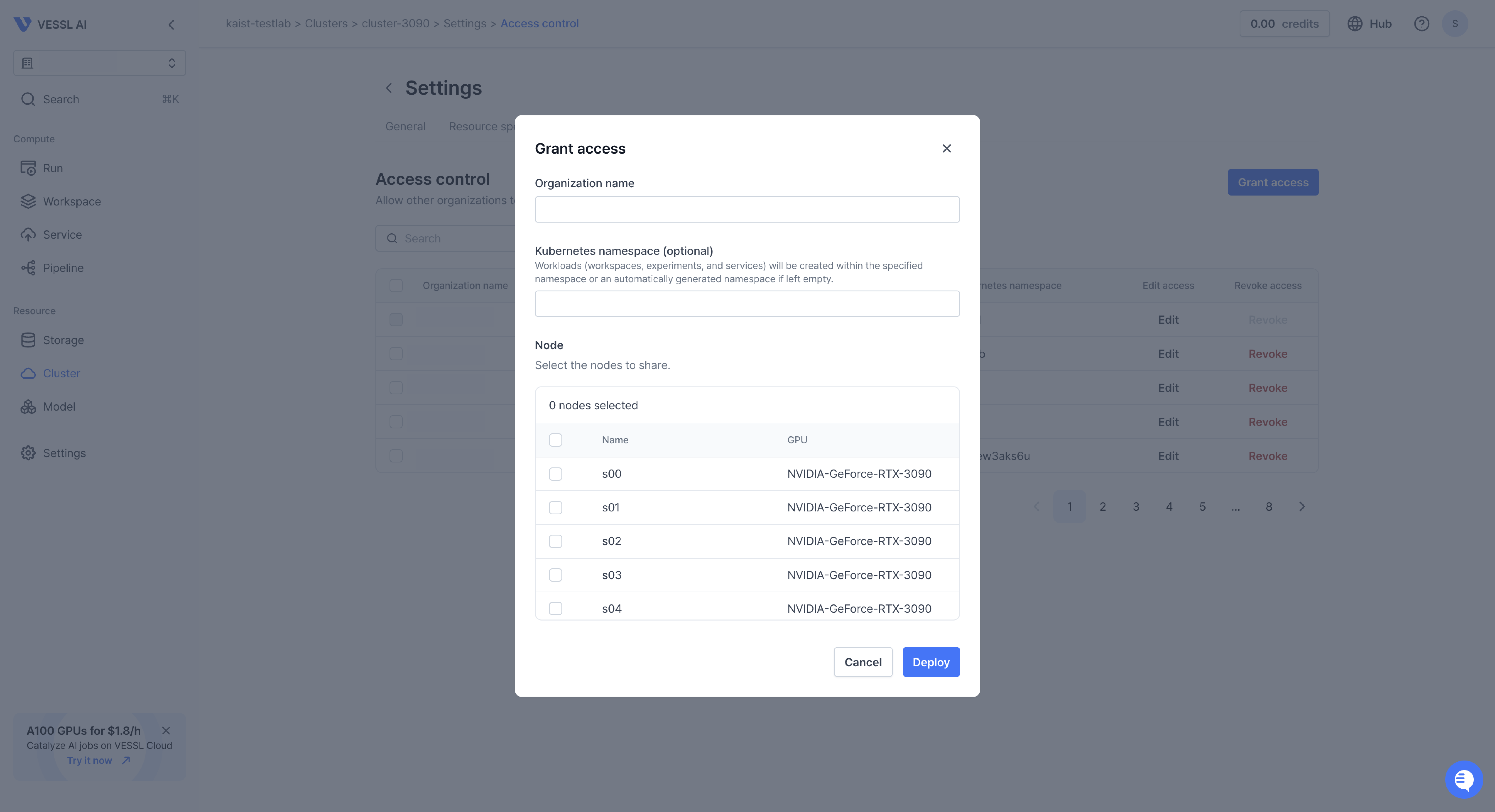 * `Organization name` — Name of the **Organization** that you want to cluster
with.
* `Kubernetes namespace` —
[🔗 Kubernetes namespaces](https://www.aquasec.com/cloud-native-academy/kubernetes-101/kubernetes-namespace/)
separate a cluster into logical units. It helps granularly organize, allocate,
manage, and secure cluster resources. If you are using a naming convention
like `group-subgroup`, use a namespace `subgroup`.
* `Node` — Select the nodes to share by clicking the checkbox.
## Edit access
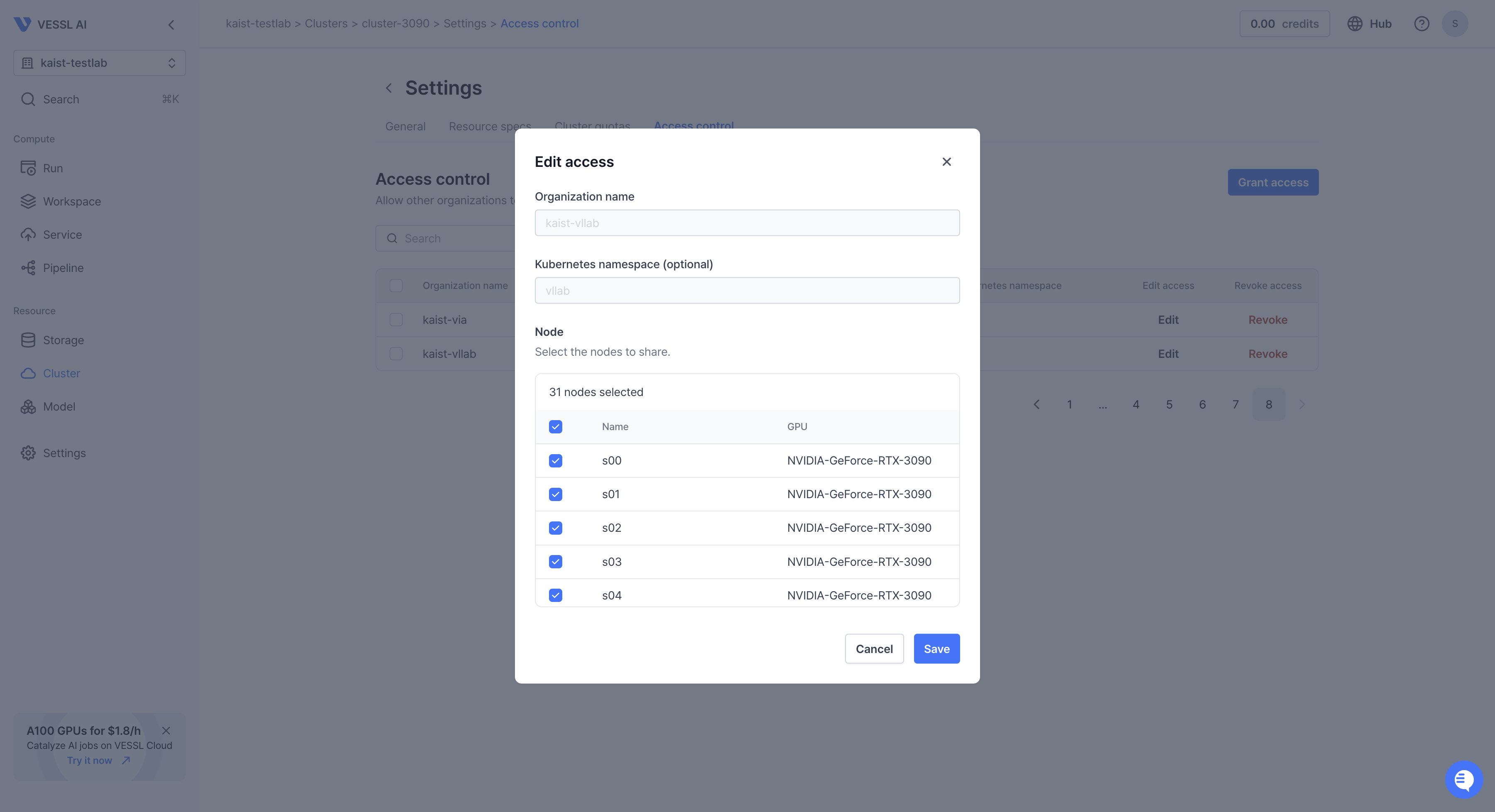
Click **Edit** to edit access to certain nodes.
* `Organization name` — Name of the **Organization** that you want to cluster
with.
* `Kubernetes namespace` —
[🔗 Kubernetes namespaces](https://www.aquasec.com/cloud-native-academy/kubernetes-101/kubernetes-namespace/)
separate a cluster into logical units. It helps granularly organize, allocate,
manage, and secure cluster resources. If you are using a naming convention
like `group-subgroup`, use a namespace `subgroup`.
* `Node` — Select the nodes to share by clicking the checkbox.
## Edit access
Click **Edit** to edit access to certain nodes.
 ## Revoke access
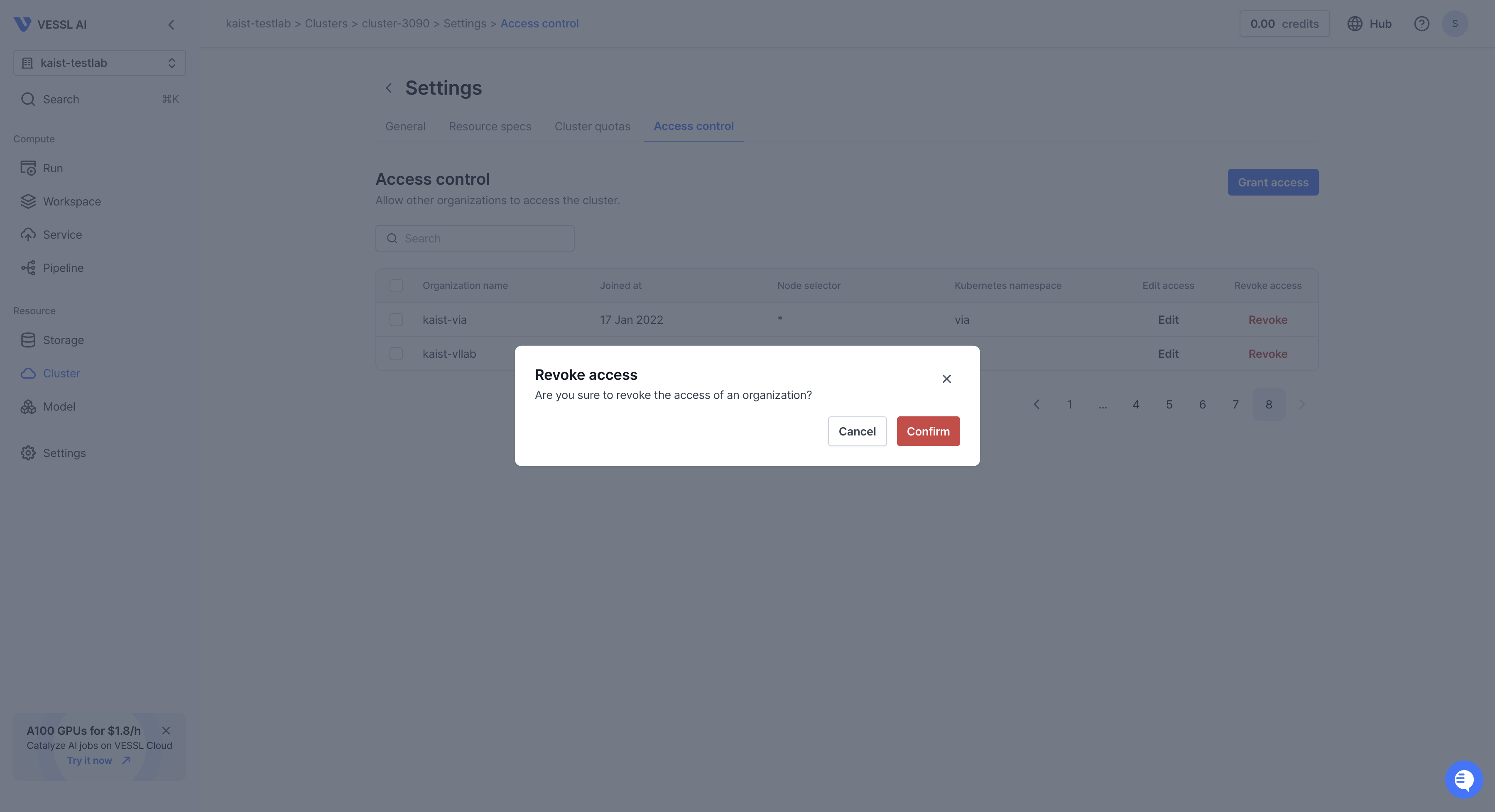
Click **Revoke** to remove the organization from accessing the clusters.
## Revoke access
Click **Revoke** to remove the organization from accessing the clusters.